Tidy Windows Desktop: Fences vs Widgets (2026)
Every Windows user eventually hits the same wall: the desktop has become a dumping ground. Shortcuts, screenshots, half-finished documents, and app installers pile up until finding anything takes longer than just reopening the program. Two very different philosophies exist for solving this problem — icon organizers like Stardock Fences and live-widget apps like Themia — and choosing the right one depends on how you actually work.
This guide compares the two approaches honestly, walks through what each tool does well, and explains when one is clearly the better choice.
The Icon-Organizer Approach: Stardock Fences
Stardock Fences has been the go-to desktop organizer since its first release well over a decade ago. The core concept is elegantly simple: you draw labelled rectangles on your desktop, and icons live inside those rectangles. The rectangles are called "fences" — shaded, resizable containers that group shortcuts, files, and folders by project, type, or priority.
Fences 6, the current major version, introduced several improvements over earlier releases:
- Tabs: Multiple fence groups can live inside a single tabbed container, saving screen space.
- Roll-up / shade: Double-clicking a fence's title bar collapses it to just the header strip, uncovering the wallpaper when you need more visual breathing room.
- Auto-organize rules: You can tell Fences to automatically drop new files of certain types (PDFs, screenshots, installers) into specific fences without you having to drag them manually.
- Folder portals: Any folder — including cloud synced folders or network shares — can be surfaced directly on the desktop as a portal. Drag files into it and they land in the actual folder.
- Desktop pages: Multiple pages of fences, accessible by dragging the mouse to the screen edge, effectively multiply your desktop real estate.
- Peek: Win+Space briefly brings fences on top of all open windows so you can find something without minimizing everything.
Pricing: Fences 6 is sold as a subscription at roughly $9.99 per year. A one-time license option has existed but has caused pricing confusion on the Stardock forums. There is a 30-day free trial. It runs on Windows 10 and Windows 11.
The Widget Approach: Themia
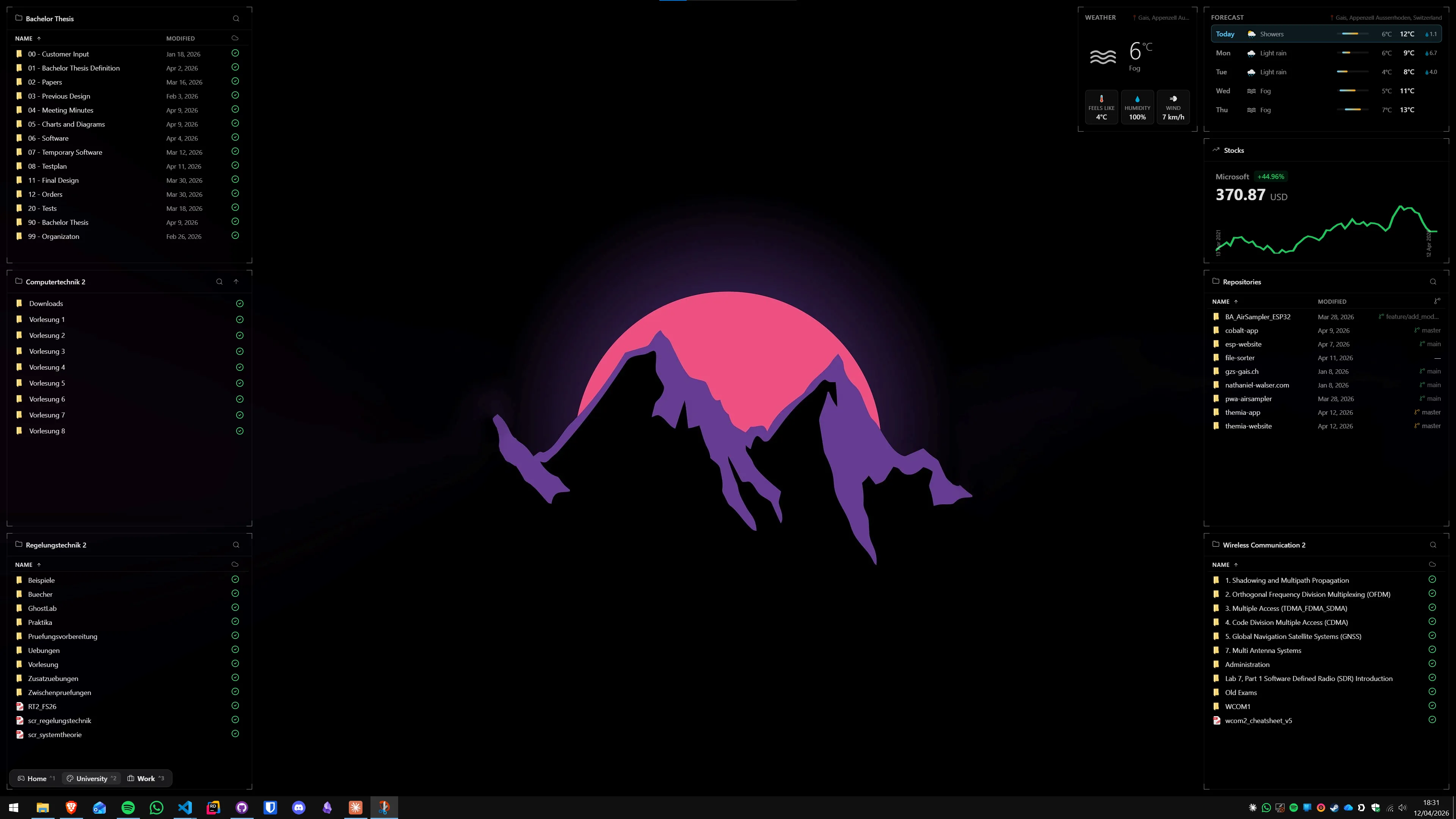
Themia takes the opposite stance: instead of organizing icons, it replaces them. The desktop becomes a dashboard — a live, glanceable surface showing weather, calendar events, to-do items, stock prices, system stats, and more. No icons, no piles, no clutter.
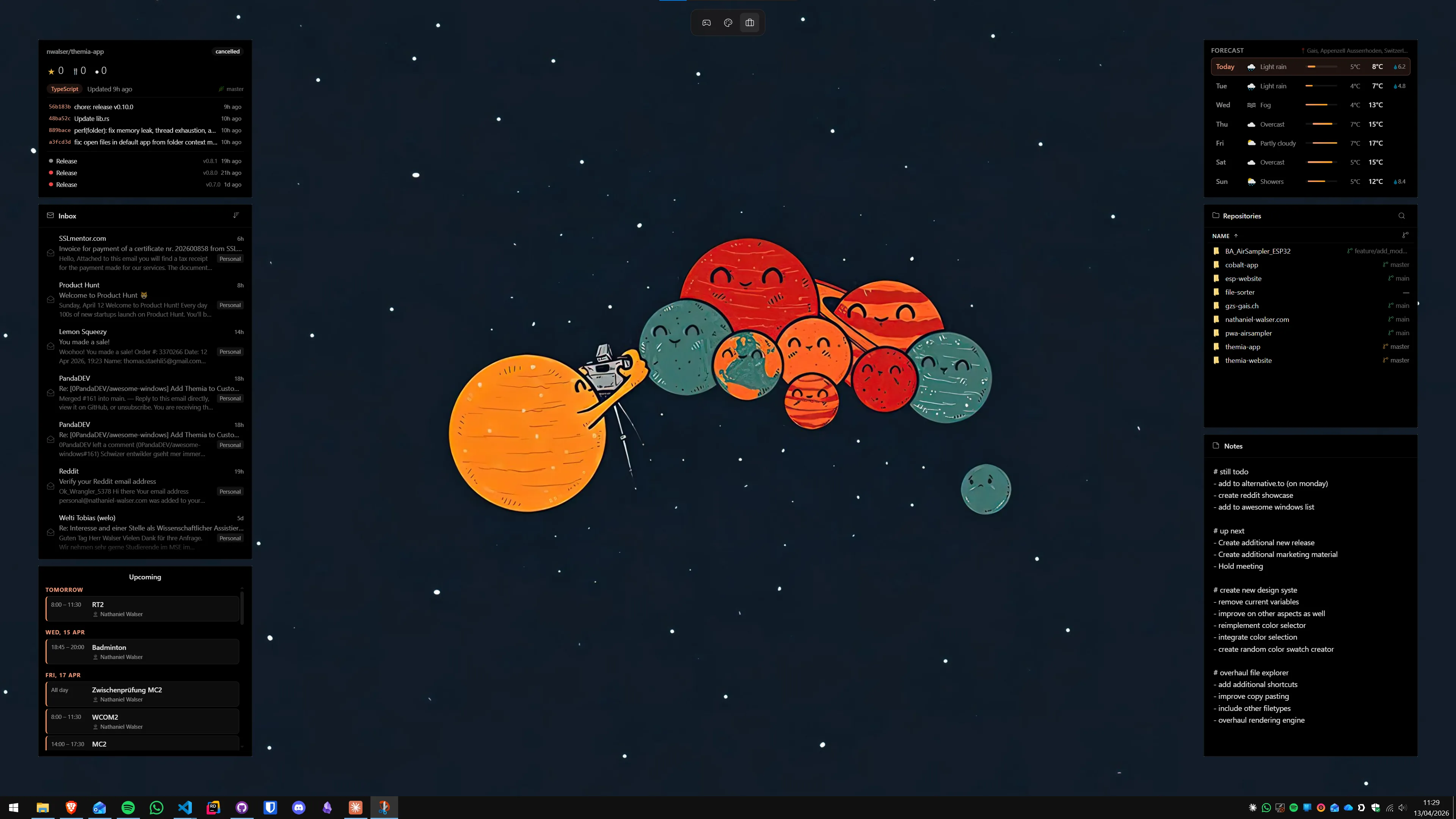
Themia is built on Tauri (a Rust-based, Electron-alternative framework), which means the installer is under 10 MB and memory usage stays low even with many widgets active. The widgets available include:
- Weather (city or GPS-based, with hourly and weekly forecasts)
- Calendar (shows upcoming events from connected accounts)
- To-do lists and sticky notes
- Email preview (unread count and recent messages)
- System stats (CPU, RAM, disk, network)
- Stocks and crypto prices
- Music playback controls
- Battery status with charge time estimates
- Contacts, RSS feeds, GitHub activity, and a file browser
A key feature for multi-monitor setups: each screen gets its own independent widget layout. Your main monitor might show a calendar and weather; a vertical secondary monitor might show system stats and a file browser.
Pricing: Themia is free for core use, with a Pro tier at a one-time $19. There are no subscriptions. See Themia's pricing page for what is included in each tier.
Side-by-Side Comparison
The table below summarizes how the two tools compare on the dimensions that matter most when deciding which approach to take.
| Feature | Stardock Fences 6 | Themia |
|---|---|---|
| Desktop icons | Organized into containers | Hidden / replaced by widgets |
| Live data (weather, calendar…) | No | Yes — core feature |
| Auto-organize rules | Yes (rule-based) | N/A |
| Roll-up / collapse | Yes | N/A |
| Multiple desktop pages | Yes | Per-screen layouts |
| File size | ~50 MB | Under 10 MB |
| Price | ~$9.99/year | Free / $19 one-time Pro |
| Windows 10 support | Yes | Yes |
| Windows 11 support | Yes | Yes |
When Fences Is the Right Tool
Fences works best when your icons are genuinely useful. If you rely on desktop shortcuts to launch projects, open specific folder paths, or quickly reach files that change frequently, keeping icons but organizing them is the right call. Power users who manage multiple projects often love the auto-organize rules — "all PDFs to the Reading fence, all installers to Downloads, all screenshots to Review" eliminates the need to ever manually drag files again.
The roll-up feature is also underrated. Working on a presentation and want to see only the wallpaper? Double-click every fence header and the desktop clears in seconds. This makes Fences useful as a concentration aid without completely reorganizing your workflow.
If you are evaluating whether Fences is worth the annual cost, see our in-depth piece on whether Stardock Fences is worth it in 2026.
When Themia Is the Right Tool
Themia makes sense when you realize you never actually use the icons — you open apps from the taskbar or Start menu, and the files on your desktop are mostly things you forgot to clean up. In that case, the icons are pure noise, and replacing them with a live dashboard is an upgrade rather than a tradeoff.
It is also the better fit for anyone who wants their desktop to actively communicate information. The weather widget alone saves several taps on a phone if you glance at the desktop before heading out. A calendar widget surfacing the next meeting countdown means fewer context switches. System stats widgets help developers and sysadmins catch a runaway process without opening Task Manager.
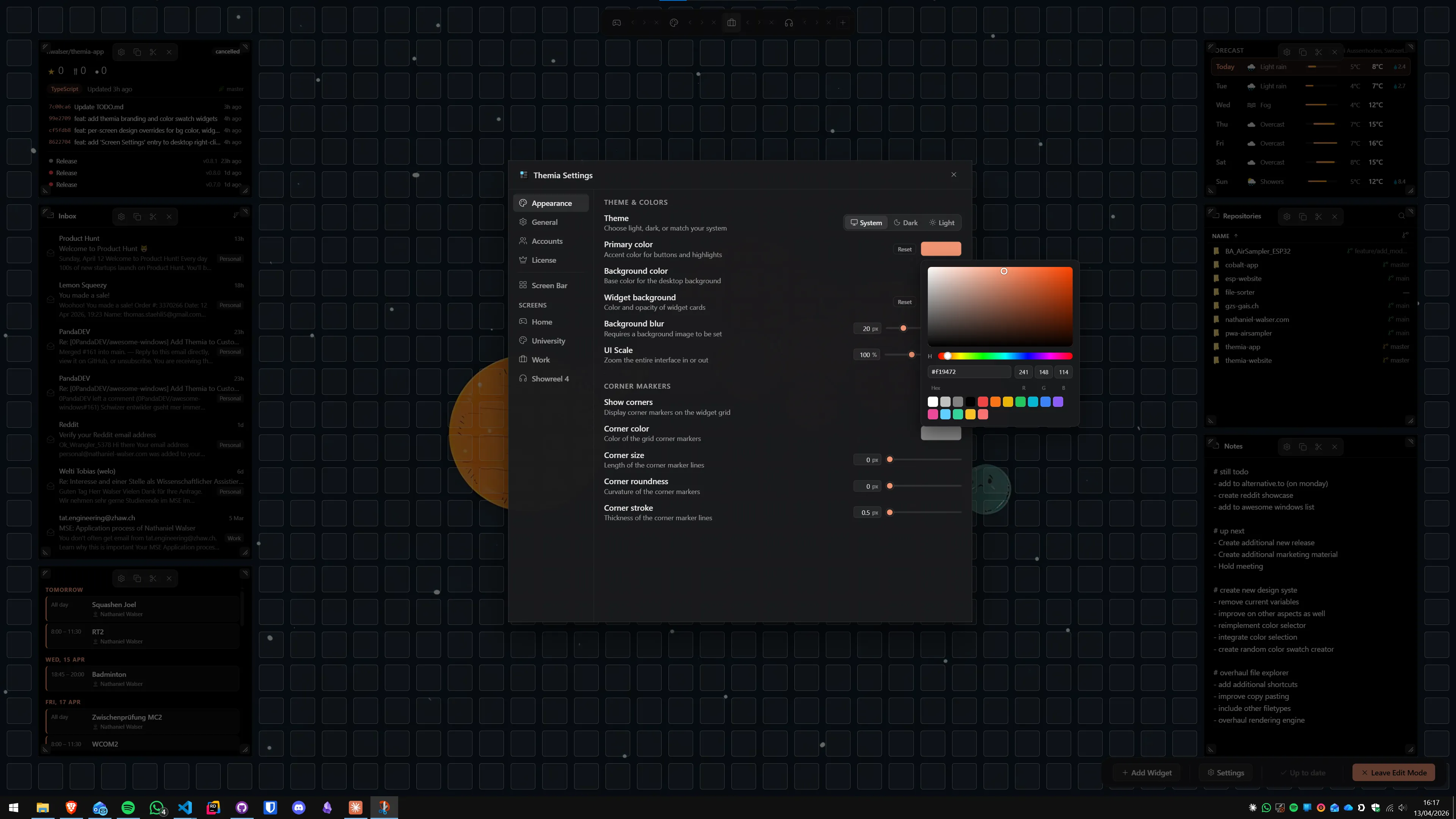
For a detailed comparison with Fences specifically, see Themia vs Stardock Fences: head-to-head comparison. And if you are already on Fences and want to switch, the guide to switching from Fences to Themia walks through the transition step by step.
A Practical Tidying Workflow
Regardless of which tool you choose, the best desktop tidy-up starts with a quick purge before you install anything. Here is the sequence that works:
- Delete the obvious junk. Sort desktop icons by "Date modified" and delete anything older than six months that you have never intentionally placed there. Installers and screenshots are common culprits.
- Move project files off the desktop. The desktop is not a storage location. Create a
~/Projectsor~/Activefolder and move everything there. Folder portals in Fences or the file browser widget in Themia can surface those folders without them living on the desktop itself. - Decide: icons or widgets? If you kept more than 10 icons after the purge and you actually use them, install Fences. If you deleted most things and realised the desktop could just show useful information instead, install Themia.
- Configure automatic rules. Both tools support some form of automation. In Fences, set up rules so new files auto-sort. In Themia, connect your calendar and weather location so the widgets are immediately useful without manual updates.
Either path gets you to a desktop that no longer wastes visual attention. The goal is the same; the philosophy is different. If you are exploring all the Stardock Fences alternatives available in 2026, our comparison roundup covers every major option.
FAQ
What is the fastest way to tidy a messy Windows desktop?
The fastest method depends on your goal. If you want icons moved off the screen quickly, right-click the desktop and choose "View > Auto arrange icons" — Windows will pack them into the top-left corner. For a more lasting solution, install a dedicated organizer like Stardock Fences (groups icons into labelled areas) or Themia (replaces icon piles with live widgets). Most users get a cleaner result in under ten minutes with either tool.
Do Stardock Fences and Themia serve the same purpose?
They solve the same root problem — desktop clutter — but take opposite approaches. Fences is an icon organizer: it keeps your existing desktop icons and sorts them into shaded, draggable containers. Themia removes desktop icons altogether and replaces them with live, information-rich widgets (weather, calendar, to-do, stocks, etc.). If you use your desktop icons as shortcuts, Fences is the better fit. If you want the desktop to show you useful live data, Themia wins.
Is Stardock Fences free?
No. Fences 6 is available as a subscription starting at roughly $9.99 per year. A one-time license has also been offered (pricing has varied and caused some confusion on the Stardock forums), and there is a free 30-day trial. By contrast, Themia has a fully functional free tier with no time limit — the Pro upgrade costs a one-time $19.
Can I use both Fences and Themia at the same time?
You can, but the combination is usually redundant. If you switch to Themia's widget-based desktop, there are no loose icons left to organize, so Fences has nothing to do. Some users run Fences on a secondary monitor where they keep reference shortcuts, while using Themia on their primary screen. That hybrid setup works without conflicts.
Does Themia slow down Windows like some widget apps do?
Themia is built on the Tauri framework (Rust-based, not Electron), which keeps the installer under 10 MB and RAM usage very low — typically well under 100 MB at runtime. Widget refresh rates are configurable, and there is no persistent background process beyond what is needed to update the widgets you have open. It is noticeably lighter than older desktop widget platforms like Rainmeter or Sidebar Gadgets.
What widgets does Themia include?
Themia ships with widgets for: weather (city or GPS-based), calendar (shows upcoming events), to-do lists, notes, email preview, system stats (CPU, RAM, disk, network), stocks and crypto prices, music playback controls, battery status, contacts, RSS feeds, GitHub activity, and a file browser widget. Per-screen widget layouts are supported, so a laptop and an external monitor can show different widget sets.
Does Fences 6 work on Windows 11?
Yes. Fences 6 officially supports both Windows 10 and Windows 11. The current version (6.46 at time of writing) is compatible with the Windows 11 24H2 update. Themia also supports both Windows 10 and Windows 11.