Themia vs Nimi Places: Free Organizer or Widgets?
Nimi Places has a devoted following on Windows. It is free, it has been around for years, and it does one thing well — it lets you group desktop files and shortcuts into styled, labeled "places" that you can drop anywhere on your screen.
Themia overlaps with Nimi Places in one specific way: both put content on your desktop instead of hiding it. But the content itself is different, and so is the audience.
The short version
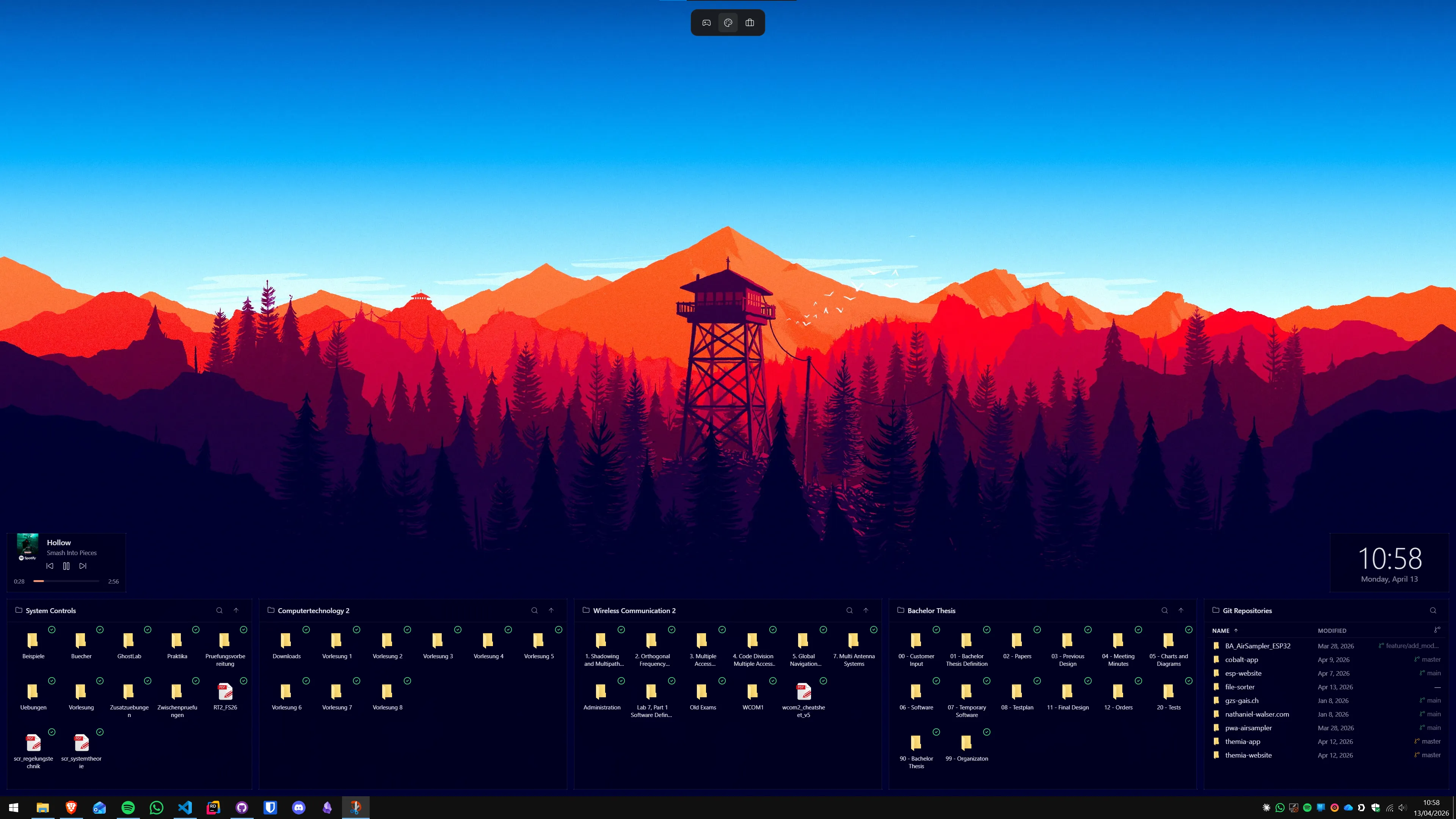
- Nimi Places is a desktop container organizer. Think customizable, themed boxes for files, shortcuts, and links.
- Themia is a widget workspace. Some widgets hold files — most show live data from apps and services.
Feature comparison
| Feature | Themia | Nimi Places |
|---|---|---|
| Price | Free tier · $19 one-time Pro | Free (donationware) |
| File / shortcut containers | Folder widget, grid or list view | Core feature — highly customizable containers |
| Live data widgets | Email, calendar, weather, stats, stocks, music, etc. | Not included |
| Container themes / visuals | Unified design system, blur, transparency | Extensive — themes, skins, image frames, stacks |
| Per-context layouts | Switchable per-screen layouts | Multiple "profiles" supported |
| Auto-organization | Manual placement | Yes — rules and stacks |
| Actively developed | Yes — frequent releases | Yes, but slower cadence |
Where Nimi Places wins
Free
Nimi Places has no paid tier. For users whose only need is "group these shortcuts visually on the desktop," it is hard to argue against free.
Deep container customization
This is Nimi's signature. Containers can have custom backgrounds, frames, icons, and stacked views. If you care about making each group of shortcuts look distinct, Nimi gives you a lot of rope.
File-focused behavior
Nimi understands files and shortcuts deeply — it can watch folders, stack items, show previews, and handle drag-and-drop between containers as a first-class workflow.
Where Themia wins
Widgets beyond files
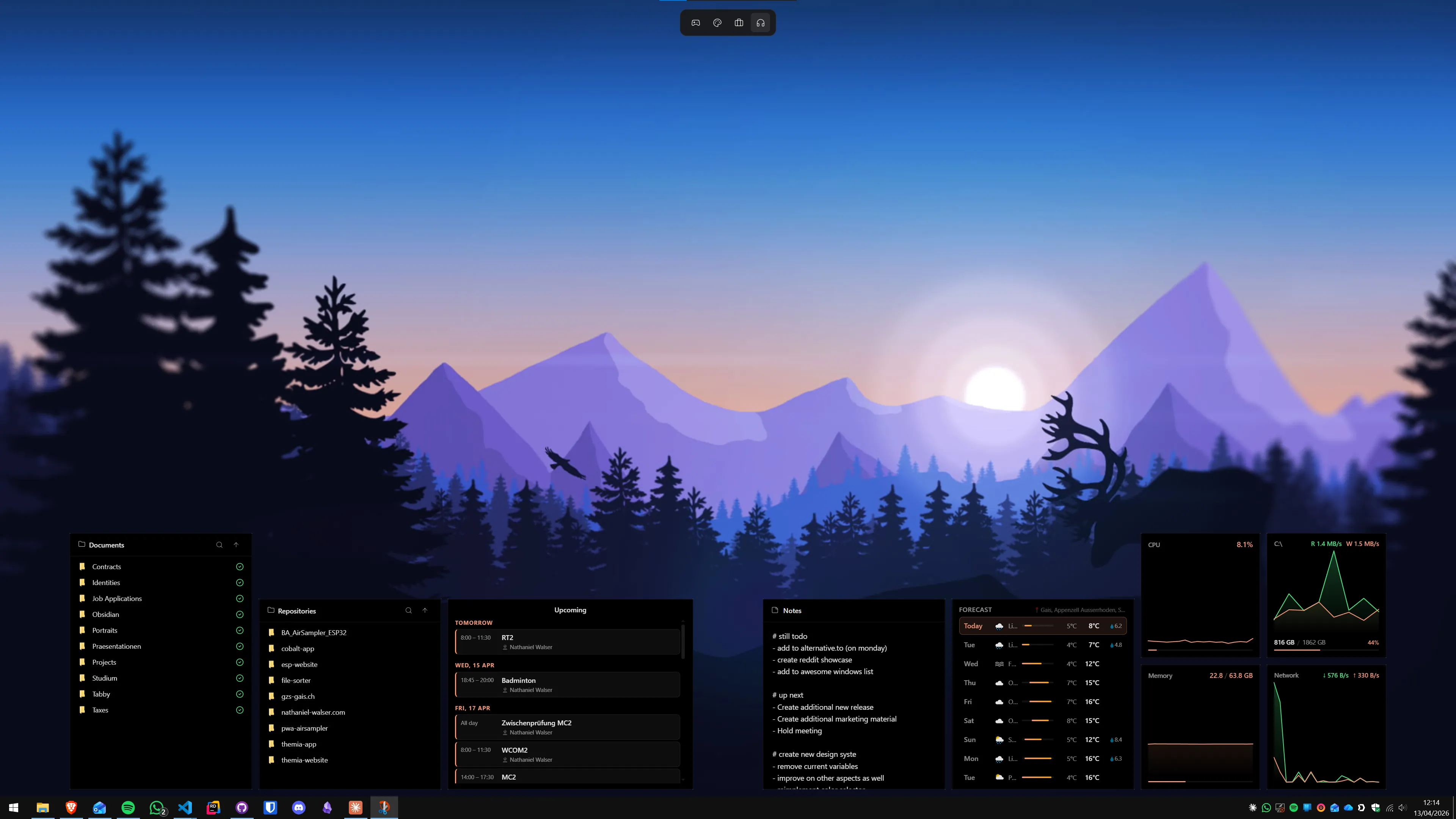
This is the main divide. Nimi shows you files and links. Themia shows you files and your upcoming meetings, and the weather, and your latest unread email, and CPU load, and what is playing, and your to-do list — in one coherent layout.
If your desktop needs are purely "make my shortcuts neater," Nimi is enough. If they are "make my desktop a dashboard for my day," Themia is built for that.
A unified visual language
Nimi's flexibility is also its aesthetic challenge — a heavily customized Nimi desktop can end up looking like five different apps in a trench coat. Themia widgets are designed as a set: same fonts, same spacing, same transparency, same blur behavior. The result is consistent by default, without you having to do design work.
Modern service integrations
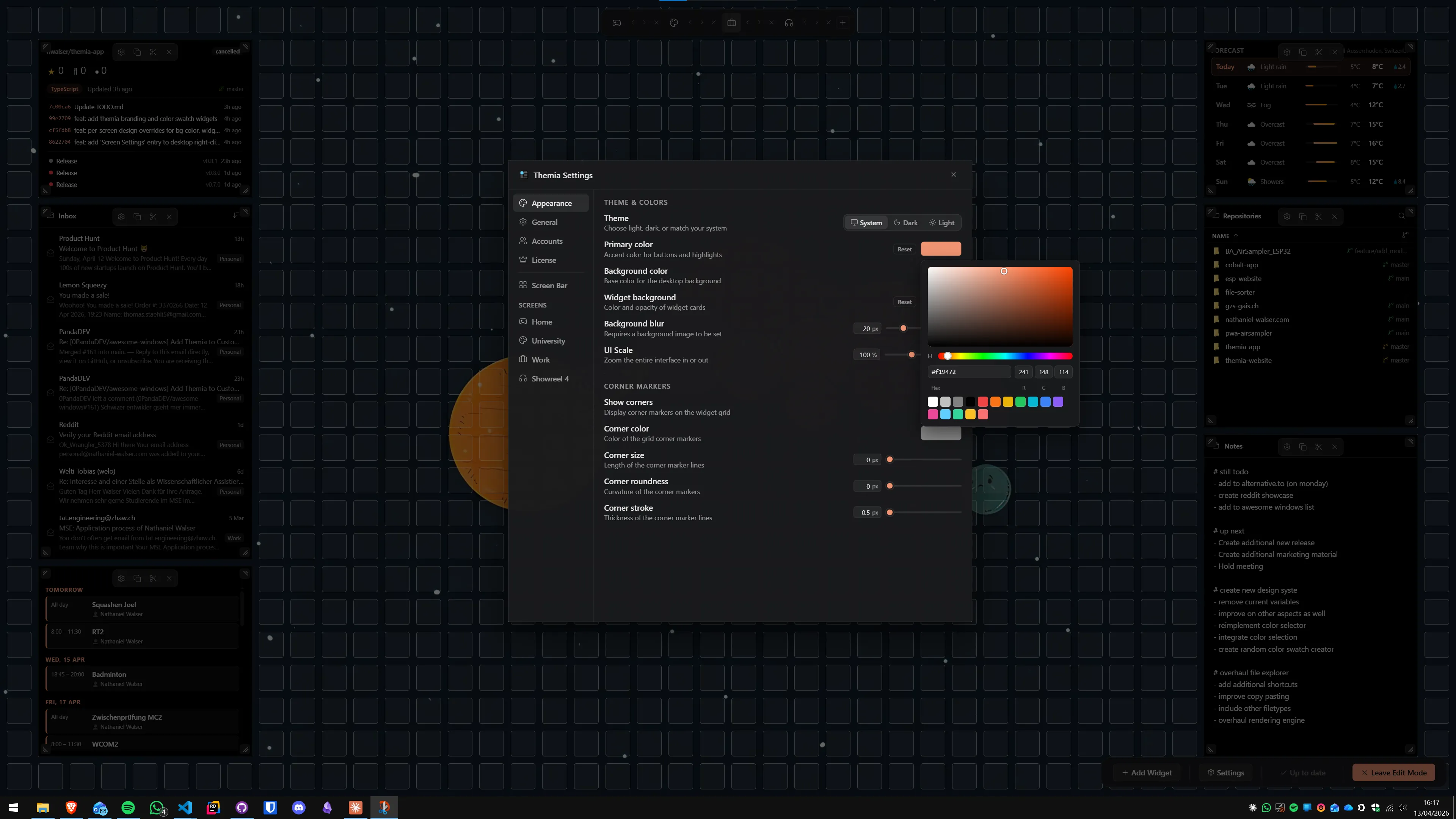
Email, calendar, GitHub, music services, weather APIs — Themia treats these as first-class. Nimi's universe is files on disk; integrations with online services are outside its scope.
Native, small, actively shipping
Themia is built on Tauri — a small, native install with tight RAM use — and ships updates regularly. Nimi Places is also lightweight, but its release cadence is slower and its feature direction is settled.
Can you use both?
Yes. Nimi handling file containers, Themia handling live widgets — they do not step on each other. If you already love your Nimi setup, there is no reason to tear it down; Themia can sit alongside it and cover the parts Nimi does not try to do.
Which should you pick?
Pick Nimi Places if: you have a file-heavy desktop, you want free, and you love customizing the look of individual containers down to frames and stacks.
Pick Themia if: you want widgets that pull in live data — calendar, inbox, system, weather — laid out on the desktop in a way that feels designed rather than decorated.
Same screen. Different definition of what a desktop is for.