Themia vs Microsoft PowerToys: Power User Stack
If you spend any real time on Windows, Microsoft PowerToys is probably already installed on your machine. It is free, open source, maintained by Microsoft, and has quietly become the default "first thing I install on a fresh Windows box" for a lot of developers and power users. Rightly so — it is excellent.
Themia gets mentioned in the same breath sometimes, but the two tools do very different things. PowerToys is a grab-bag of system utilities: window tiling, launcher, renamer, keyboard remaps, clipboard history, color picker. Themia is a native widget layer for the desktop itself. You want both. They are the natural stablemates of a productive Windows setup.
The short version
- PowerToys is a suite of Windows utilities: FancyZones for window tiling, PowerToys Run as a launcher, PowerRename for bulk file renaming, Keyboard Manager, Color Picker, and more. Free and open source.
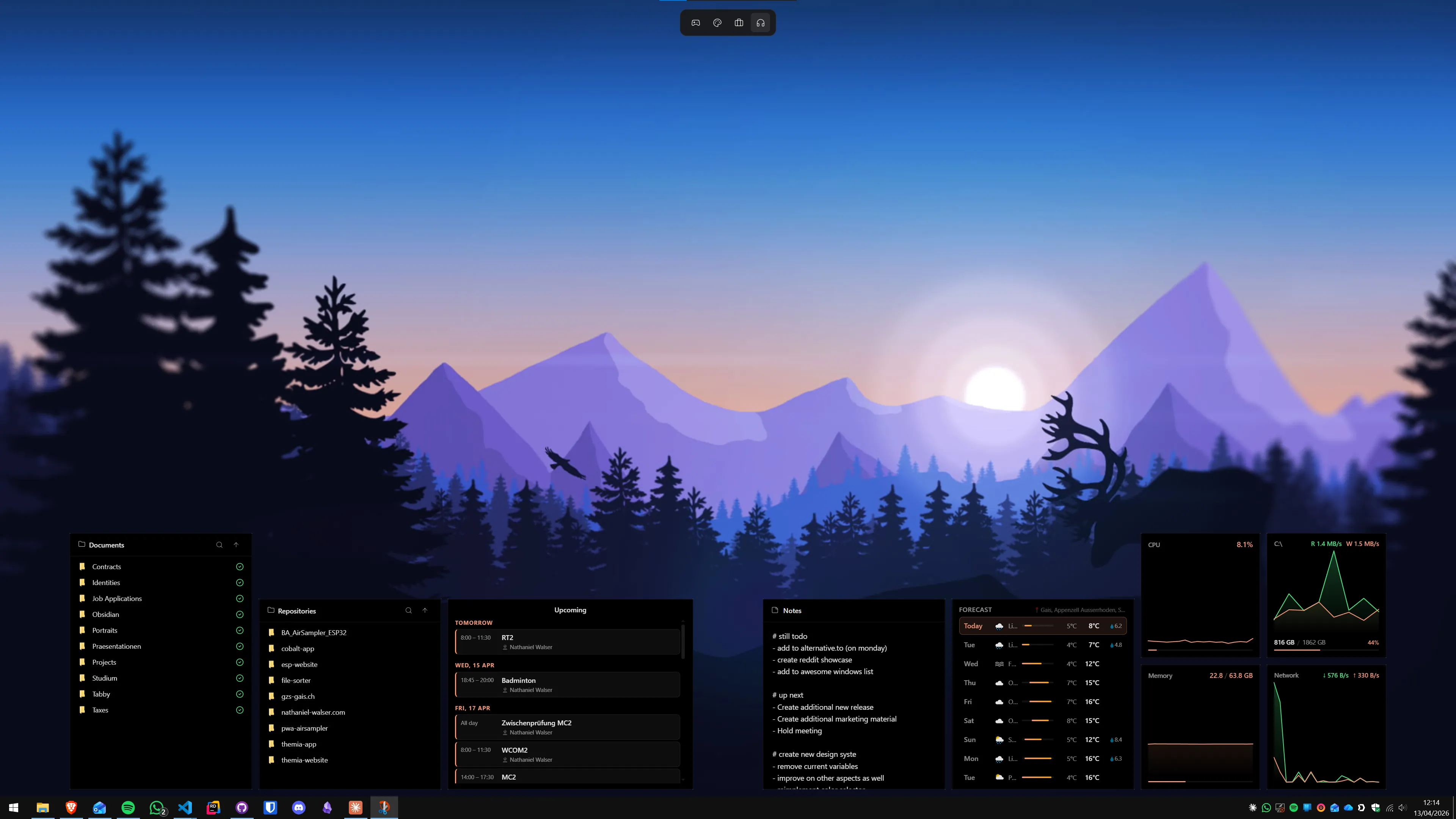
- Themia is a native desktop widget app: calendar, email, weather, files, system stats, stocks, music, notes, to-do, RSS, GitHub — on the desktop itself.
- They do not overlap. PowerToys handles windows; Themia handles the desktop.
Feature comparison
| Feature | Themia | PowerToys |
|---|---|---|
| Price | Free tier · $19 one-time Pro | Free, open source (MIT) |
| What it is | A native widget layer for your desktop | A suite of ~30 small Windows utilities |
| Headline features | Files, email, calendar, weather, system stats, stocks, music, notes, to-do, RSS, GitHub widgets | FancyZones, PowerToys Run, PowerRename, Keyboard Manager, Color Picker, Workspaces, Advanced Paste |
| Where it lives | Directly on the desktop wallpaper | In tray, launcher, overlays, and windowing chrome |
| Maintained by | Themia (Switzerland) | Microsoft |
| Footprint | Native Tauri app, under 10 MB install | Modular — load only the utilities you use |
| Overlap with Themia | — | Essentially none |
Where PowerToys wins
Windowing, keyboard, and clipboard
PowerToys is unmatched for the chrome around your work. FancyZones lets you carve your monitors into snap grids that make Windows' built-in snap look primitive. PowerToys Run is a Spotlight-style launcher that is genuinely faster than the Start menu. PowerRename does regex-powered bulk file renames. Keyboard Manager remaps keys and shortcuts system-wide. Advanced Paste converts clipboard contents between formats. None of this is in Themia's territory, and frankly none of it should be.
Free, open, and from Microsoft
PowerToys is free, MIT-licensed, and developed in the open on GitHub by Microsoft. If you care about long-term availability, that is about as safe as a Windows utility gets.
Modular
You turn on the utilities you want and leave the rest off. The install is one thing, but each module is independent — you can run FancyZones and ignore everything else, or vice versa.
Where Themia wins
It does the one thing PowerToys does not
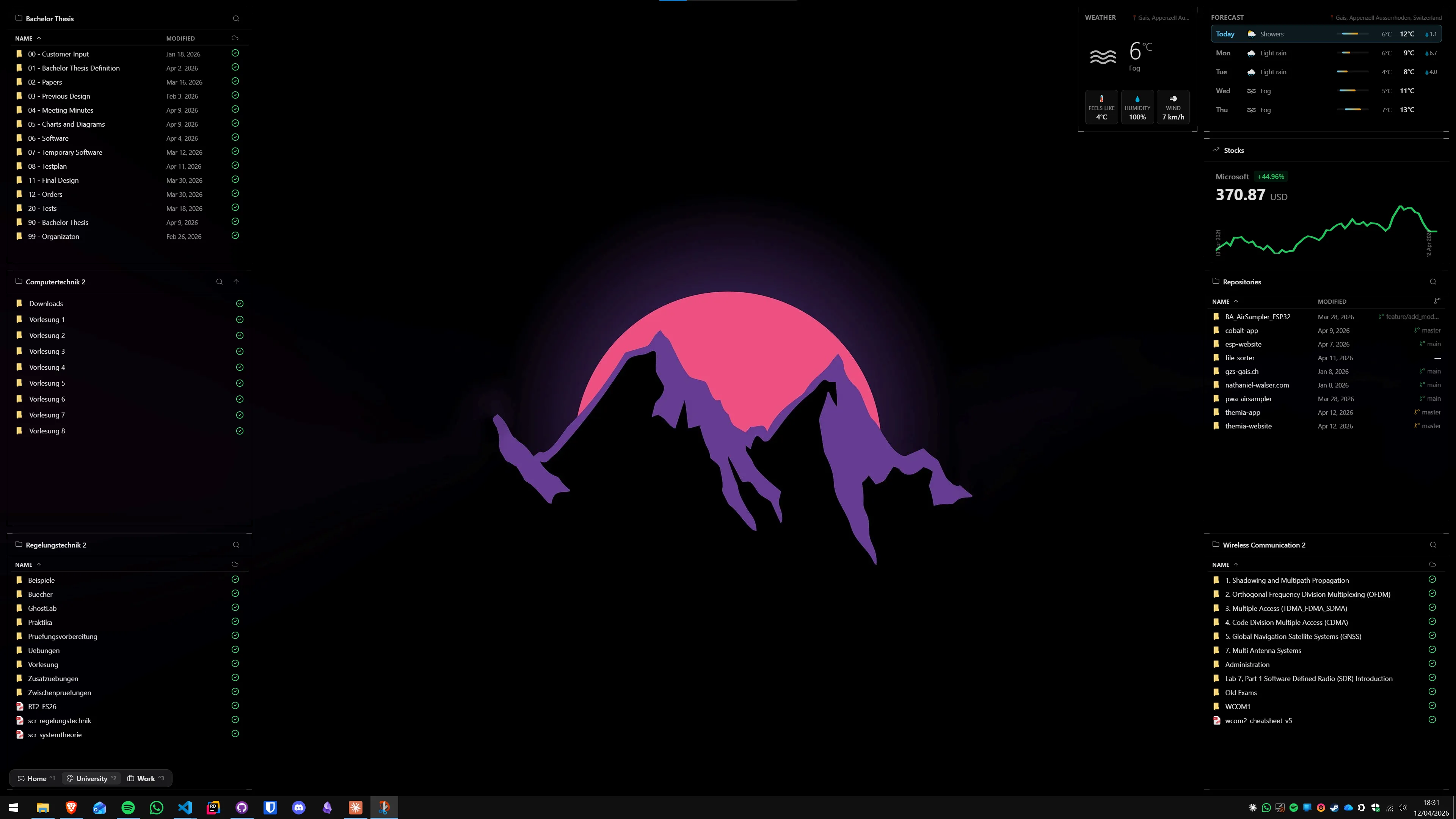
PowerToys has ~30 utilities. None of them put calendar events, unread email, weather, stock prices, system stats, or a file list on your desktop. That is not a criticism — it is not what PowerToys is for. But if you want any of those things, you need a different tool, and Themia is that tool.
A GUI, not a settings app
PowerToys, for all its polish, is ultimately a collection of settings pages. You flip a switch and the utility does its thing in the background. Themia has an editor — you drag widgets around, resize them, configure them, and see the results on your actual desktop in real time. It is a different interaction model, aimed at a different job.
Per-screen layouts
Themia lets you define different widget layouts per screen and switch the whole thing (work vs. personal, focus vs. relaxed) with one click. FancyZones can do per-monitor zone layouts, but Themia is operating one layer higher — the content on the desktop, not the window grid.
Integrations
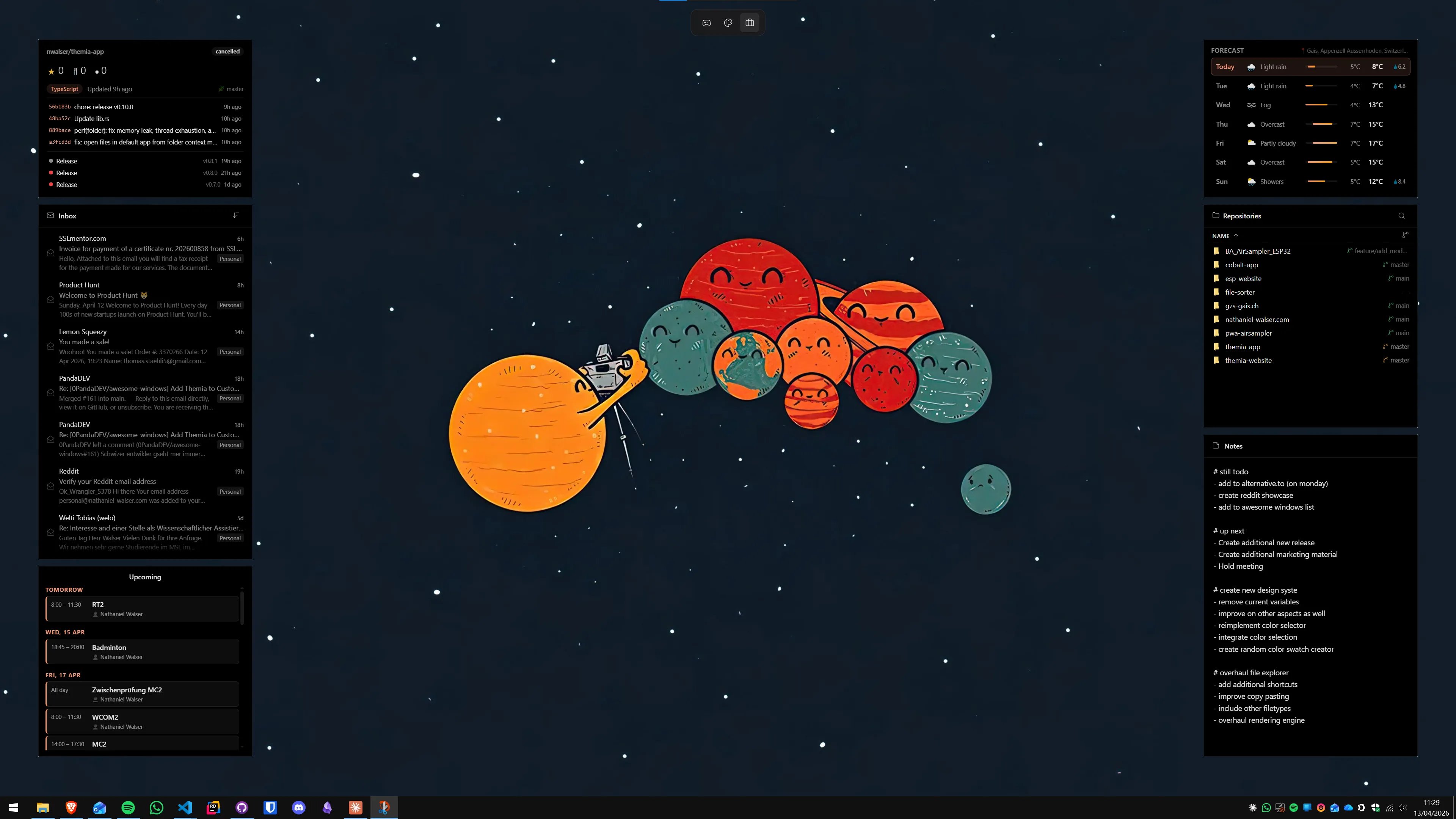
Email via Microsoft 365 and Gmail, calendar sync, weather APIs, Spotify and Apple Music controls, GitHub notifications, RSS, stock tickers. Themia is built to connect to the services you live in. PowerToys, by design, is a local-machine toolkit.
Which should you pick?
Both. Genuinely. This is not marketing speak — these tools do not compete. PowerToys is the single best free productivity download for Windows, and Themia is doing the one category of thing PowerToys deliberately stays out of.
Install PowerToys if you do anything serious on Windows. FancyZones alone justifies it; everything else is a bonus.
Install Themia if your wallpaper is wasted space — if you want your calendar, inbox, weather, music, files, and stats sitting on the desktop where a glance gives you the answer, not buried three clicks deep in a side panel.
The nicest Windows 11 setups we see usually have both: PowerToys doing the plumbing, Themia doing the surface. If you have to pick one, pick based on what annoys you more right now — the windowing, or the emptiness of the desktop behind the windows.