Themia vs TaskbarX: Widgets and Taskbar Tweaks
If you have been customizing Windows for any length of time, you probably know TaskbarX. Chris Andriessen's free utility became the standard way to center taskbar icons, add transparency, and fine-tune per-icon spacing back when Windows 10 stubbornly insisted the Start button lived in the bottom-left corner. Even after Windows 11 shipped a centered taskbar natively, plenty of people still reach for TaskbarX (or its successor, TaskbarXI) for the finer controls Microsoft left out.
Themia gets compared to TaskbarX fairly often, and we think that is mostly a category mistake. TaskbarX tweaks the bar at the bottom of the screen. Themia works in the big empty space above it. They are solving different problems, and you can reasonably run both.
The short version
- TaskbarX customizes the Windows taskbar: centered icons, transparency, animations, per-icon spacing. Narrow scope, done well.
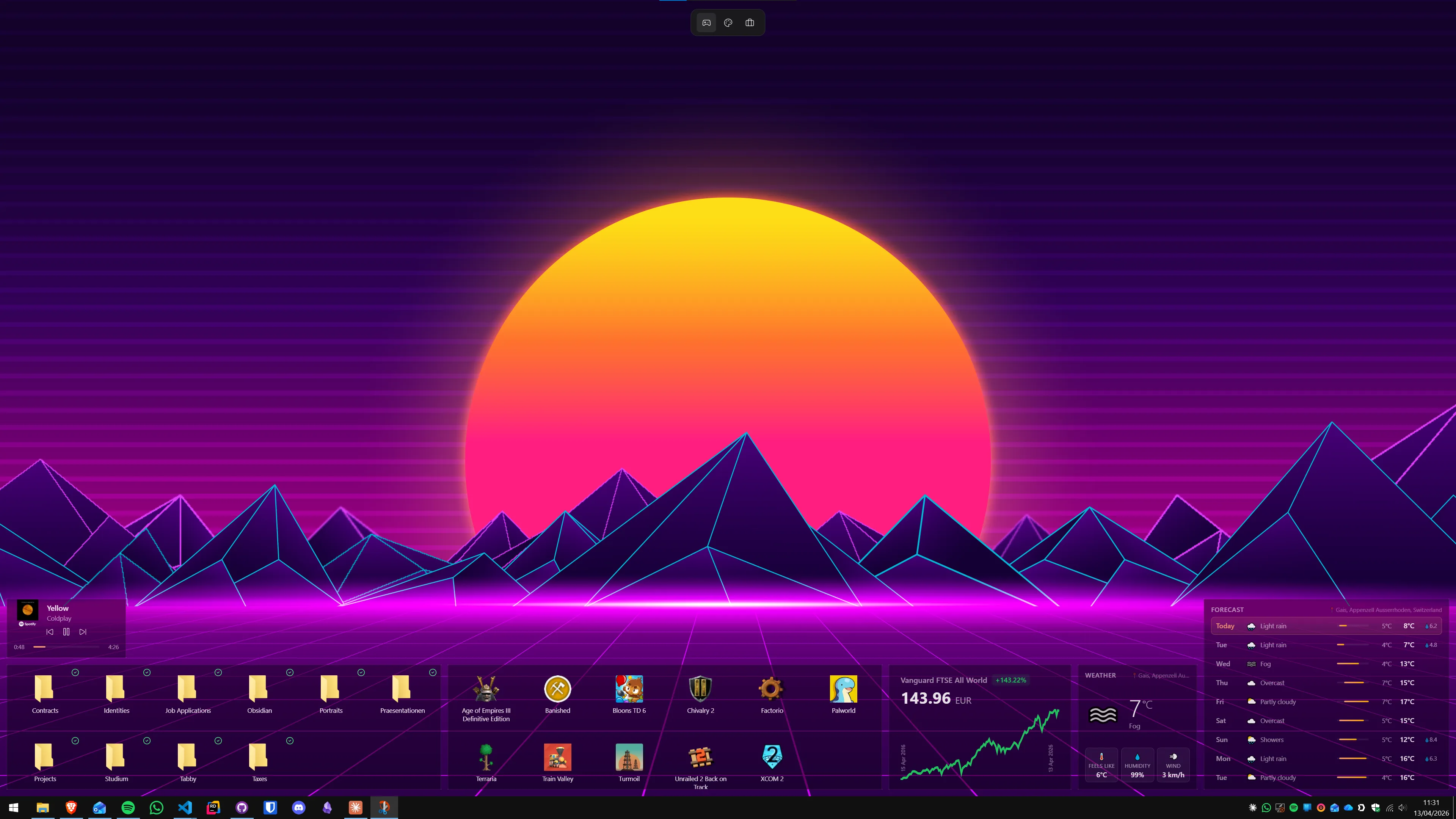
- Themia is a native desktop widget app: files, email, calendar, weather, stocks, music, system stats, and more — living on the desktop, not the taskbar.
- They do not overlap. If you like centered icons and useful widgets on your wallpaper, run both.
Feature comparison
| Feature | Themia | TaskbarX |
|---|---|---|
| Price | Free tier · $19 one-time Pro | Free (donationware, also available on Microsoft Store) |
| Primary target | The desktop / wallpaper area | The Windows taskbar |
| What you get | Widgets for files, email, calendar, weather, system stats, stocks, music, notes, to-do, RSS, GitHub | Centered icons, transparency, blur, animations, per-icon spacing |
| Windows 11 relevance | Built for Windows 10 and 11 | Still popular; TaskbarXI is the Windows 11 rewrite |
| Configuration | Visual editor, drag widgets into place | Small configurator app with sliders and animation presets |
| Footprint | Native Tauri app, under 10 MB install | Very small, low RAM use |
| Made in | Switzerland | The Netherlands |
Where TaskbarX wins
Taskbar customization that Windows still will not do
Windows 11 finally centered the taskbar by default, but it did not add much else. If you want animated icon centering, true transparency without a hard tint, or the ability to space icons apart so your Start button does not sit flush against Explorer, TaskbarX (and TaskbarXI for Windows 11) is still the cleanest way to get there.
Free and tiny
TaskbarX is free, open source, and essentially weightless. It is the kind of utility you install once, forget about, and notice only because your taskbar looks better than everyone else's.
One focused job, done well
There is something to be said for a tool that does a single thing and stops there. TaskbarX is not trying to reinvent Windows — it just polishes the one strip of chrome you look at all day. No accounts, no tiers, no feature bloat.
Where Themia wins
It fills a different gap
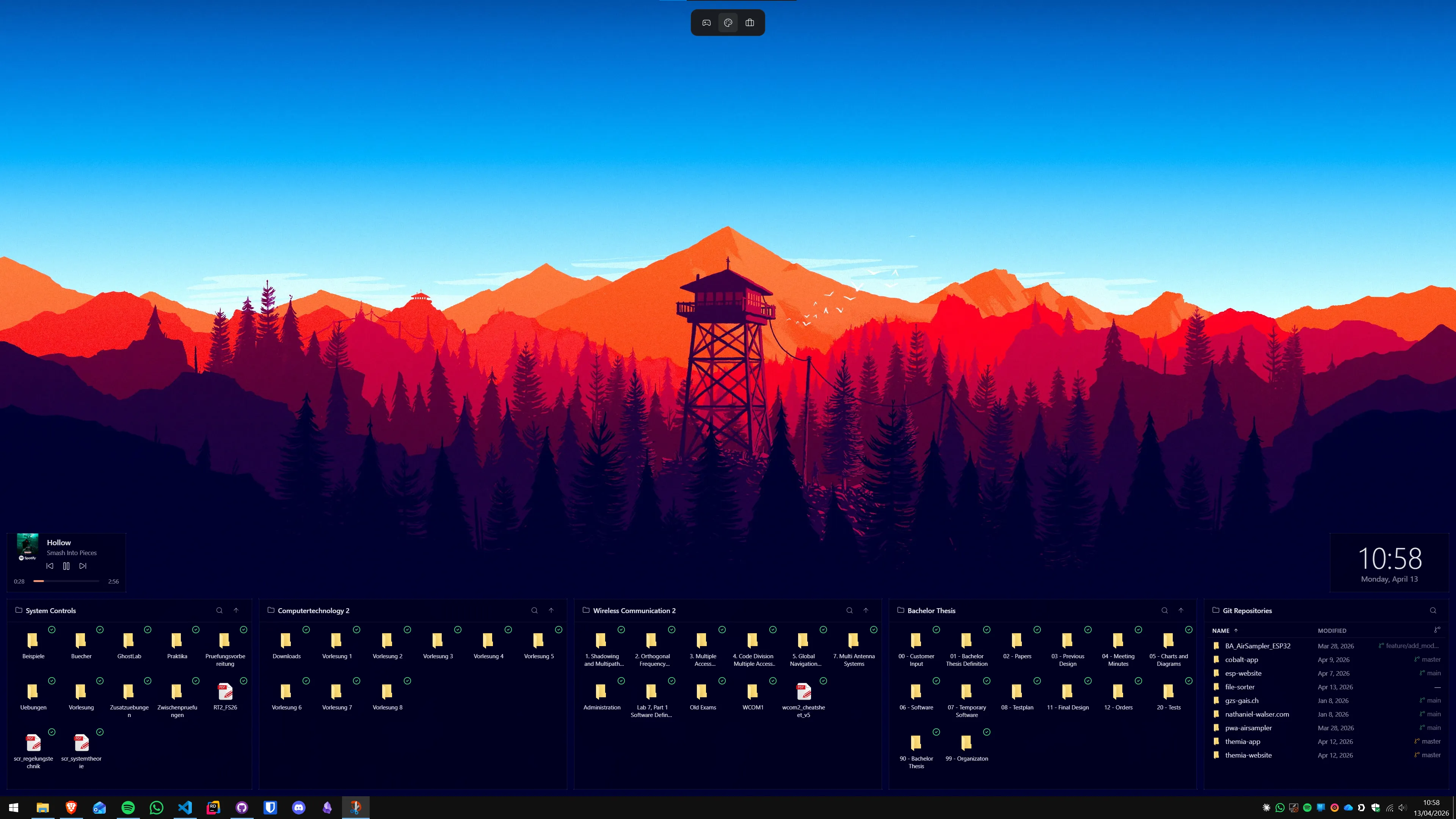
TaskbarX makes the taskbar nicer to look at. It does not put any information in front of you. Themia is the opposite problem: most people's desktop wallpaper is a wasted two million pixels of decoration. Themia turns that space into live widgets you actually read — today's calendar, unread email, current weather, file shortcuts, CPU and GPU load, your music playback, a stock ticker.
A coherent, designed look
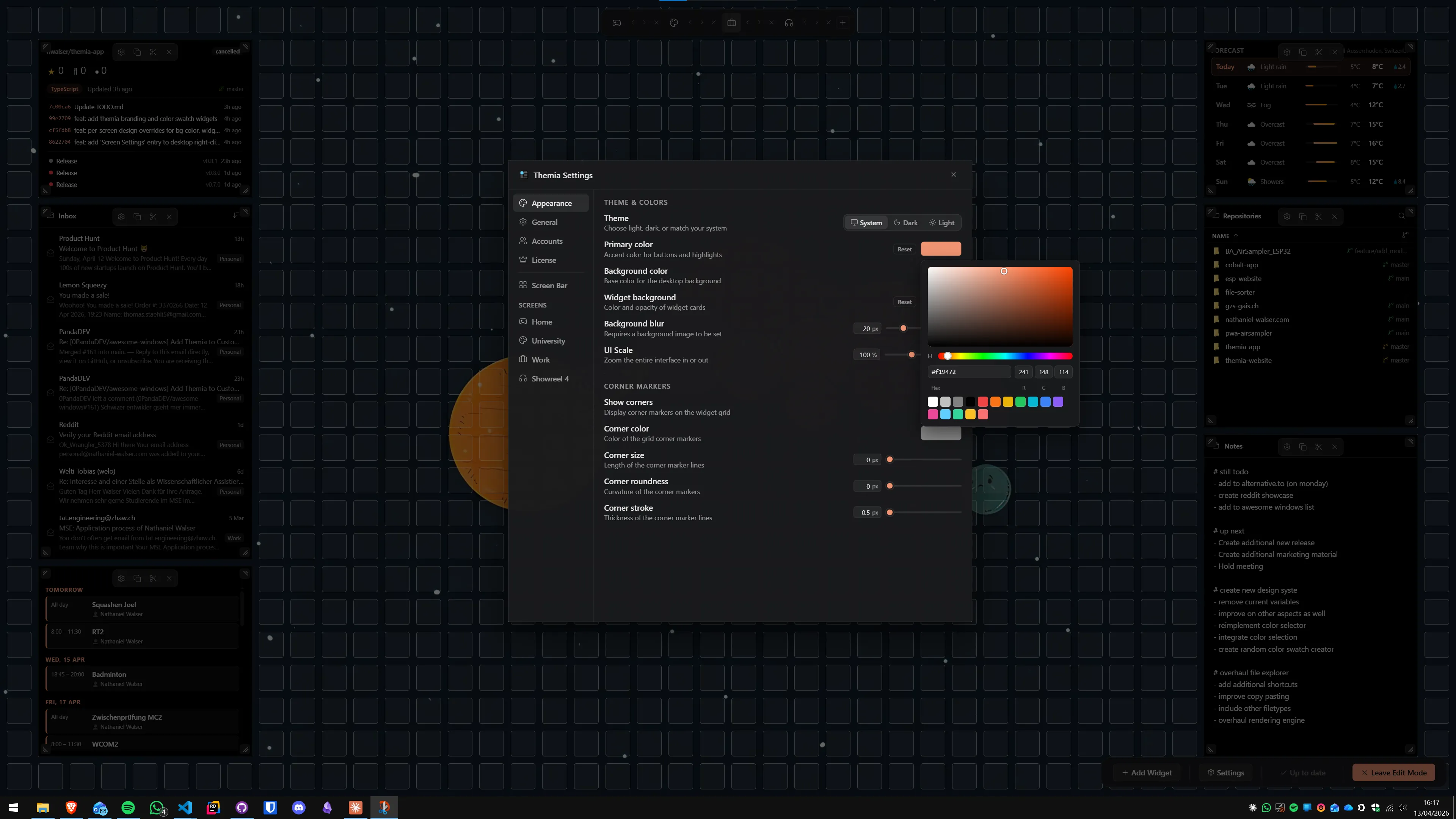
Themia's widgets share a visual language — spacing, typography, translucency, motion. TaskbarX gives you the knobs to make the taskbar fit any aesthetic, but you are still designing it yourself. Themia ships with sensible defaults that look finished the moment you add a widget.
Per-screen layouts
If you have multiple monitors, Themia lets you define a different layout per screen and switch the whole thing (work widgets vs. personal widgets, say) with one click. TaskbarX operates at the taskbar level — it is not trying to solve the bigger "context switching" problem.
Modern integrations
Themia talks to Microsoft 365, calendars, music players, weather APIs, GitHub, and RSS feeds through proper OAuth and vendor SDKs. None of that is in TaskbarX's wheelhouse — and it was never meant to be.
Which should you pick?
Honestly, this is one of the easiest answers we give. These are not competing products.
Install TaskbarX if the Windows taskbar bugs you — if centered icons on Windows 11 are not enough, if you want real transparency, if the spacing feels wrong. It is free, small, and solves exactly that.
Install Themia if your wallpaper is wasted space and you want useful, good-looking widgets on it — files, inbox, calendar, weather, stats, music, stocks — without stitching together a dozen Rainmeter skins.
And if both describe you, run both. A centered, translucent taskbar with a well-laid-out Themia desktop above it is one of the nicer-looking Windows setups you can put together in under ten minutes.