Themia vs Groupy: Window Tabs vs Desktop Widgets
If you are the kind of Windows user who routinely has 25 windows open across three monitors, Groupy from Stardock probably needs no introduction. It does one clever thing extremely well: it lets you combine any Windows application windows — File Explorer, a browser, Notepad, Word, whatever — into a single tabbed container, like browser tabs but for the OS. There is a similar product, TidyTabs by Nurgo Software, that occupies the same category.
Themia also gets mentioned as a "desktop productivity" app, which is fair, but it is not a window manager. Themia adds widgets to the desktop itself — the wallpaper area — while Groupy (and TidyTabs) operate on the windows on top of it. Different clutter problems, different tools, and they complement each other.
The short version
- Groupy 2 ($9.99, Stardock) tabs any Windows apps together into a single window. TidyTabs ($29 personal license, free tier available) does the same category of thing.
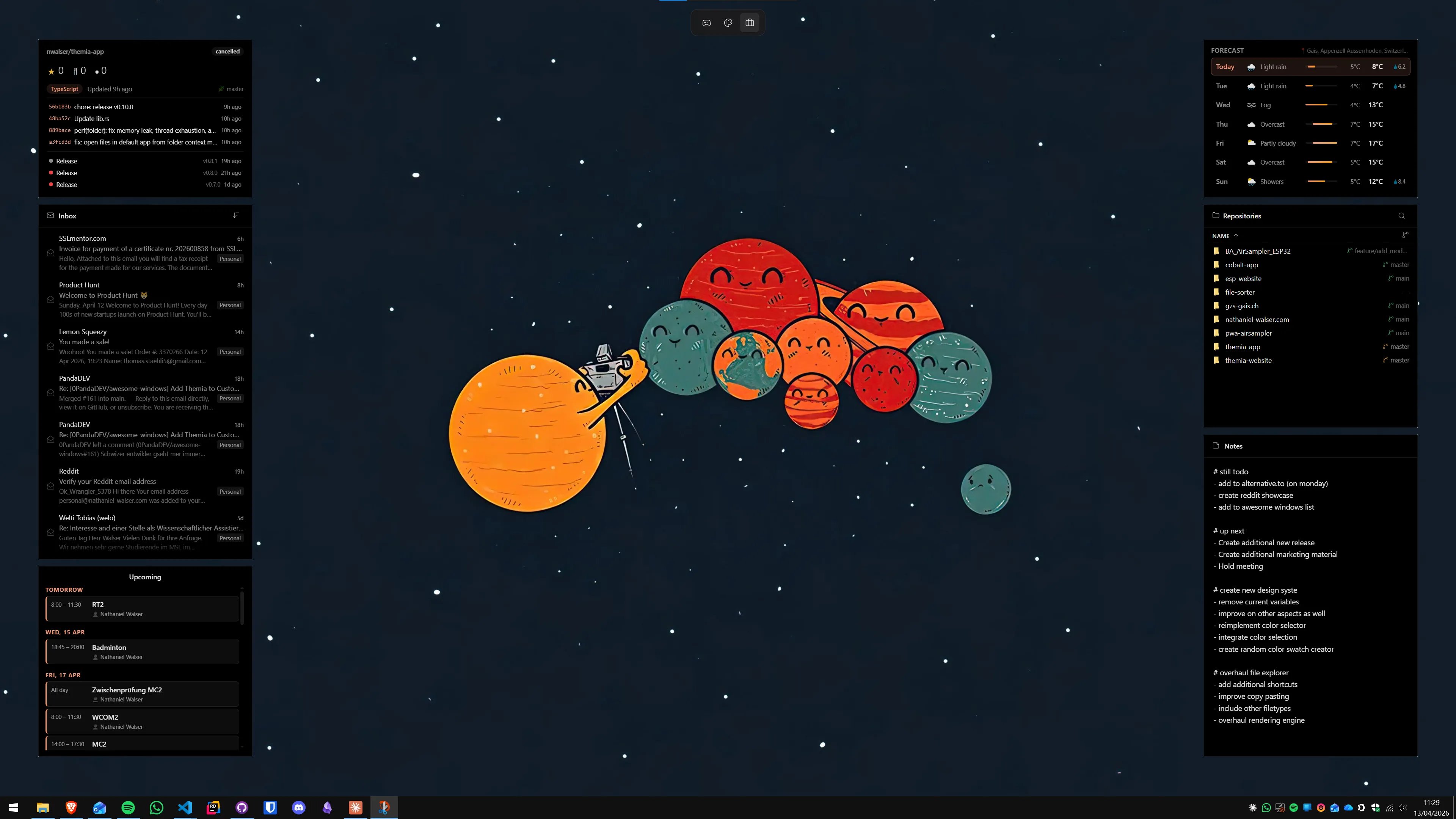
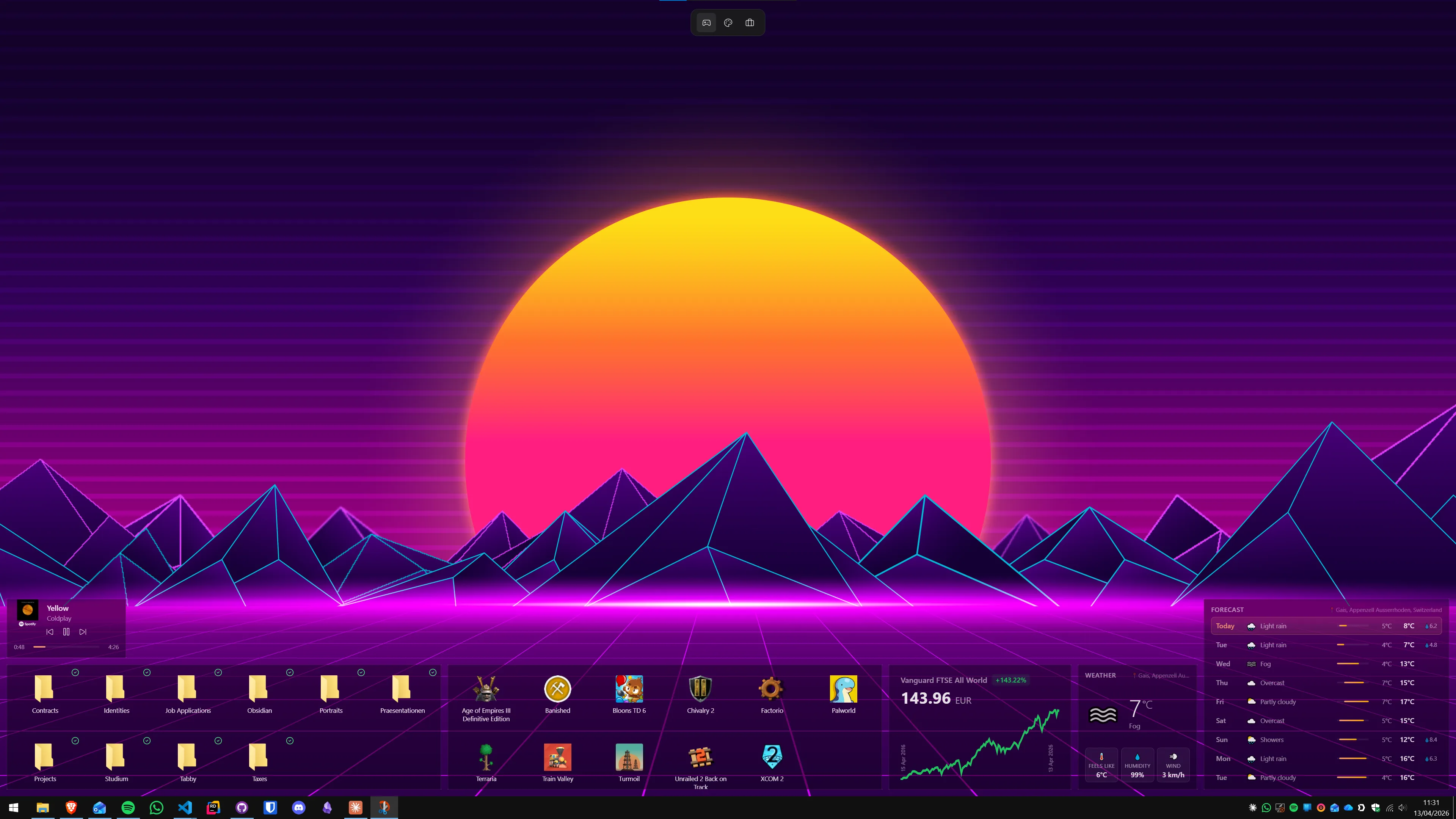
- Themia is a native desktop widget app — files, email, calendar, weather, system stats, stocks, music, notes, to-do, and more, on the desktop itself.
- They do not overlap. Groupy reduces taskbar clutter; Themia reduces desktop emptiness.
Feature comparison
| Feature | Themia | Groupy 2 |
|---|---|---|
| Price | Free tier · $19 one-time Pro | $9.99 one-time (up to 5 devices); also in Object Desktop |
| What it does | Adds widgets to the desktop wallpaper | Combines any app windows into tabbed groups |
| Surface | The desktop itself | The title bar of every window |
| Headline features | Files, email, calendar, weather, stocks, music, stats, notes, per-screen layouts | Drag-and-drop tab groups, saved groupings, colored accents |
| Similar alternatives | Rainmeter, Widget Launcher | TidyTabs (~$29), browser-style tab managers |
| Footprint | Native Tauri app, under 10 MB install | Background service that hooks into every window |
| Overlap with Themia | — | None |
Where Groupy wins
A clutter fix that nothing else really matches
If you have three File Explorer windows, two Word documents, and a handful of browser tabs open, Groupy lets you drag them together into one tabbed container — exactly like browser tabs, but OS-wide. It is the kind of feature you do not realize you wanted until you try it for a week and then find yourself angry on any machine without it.
Works with everything
Groupy is application-agnostic. Word, Explorer, Notepad, Photoshop, a Java tool from 2003 — it does not care. If Windows treats it as a window, Groupy can tab it. Stardock's Groupings feature even lets you save a set of tabbed apps, pin them to the taskbar, and relaunch the entire group in one click.
Reasonable price
$9.99 for up to five devices is cheap for a utility this useful, and it is included in Object Desktop if you already pay for that bundle.
TidyTabs is a solid alternative
If Groupy is not to your taste, TidyTabs does the same category of job. The free tier handles up to three windows per group; the Personal license ($29 one-time) unlocks unlimited grouping, auto-grouping rules, multi-monitor support, and more. It is worth trying both free tiers and seeing which one you prefer.
Where Themia wins
A completely different surface
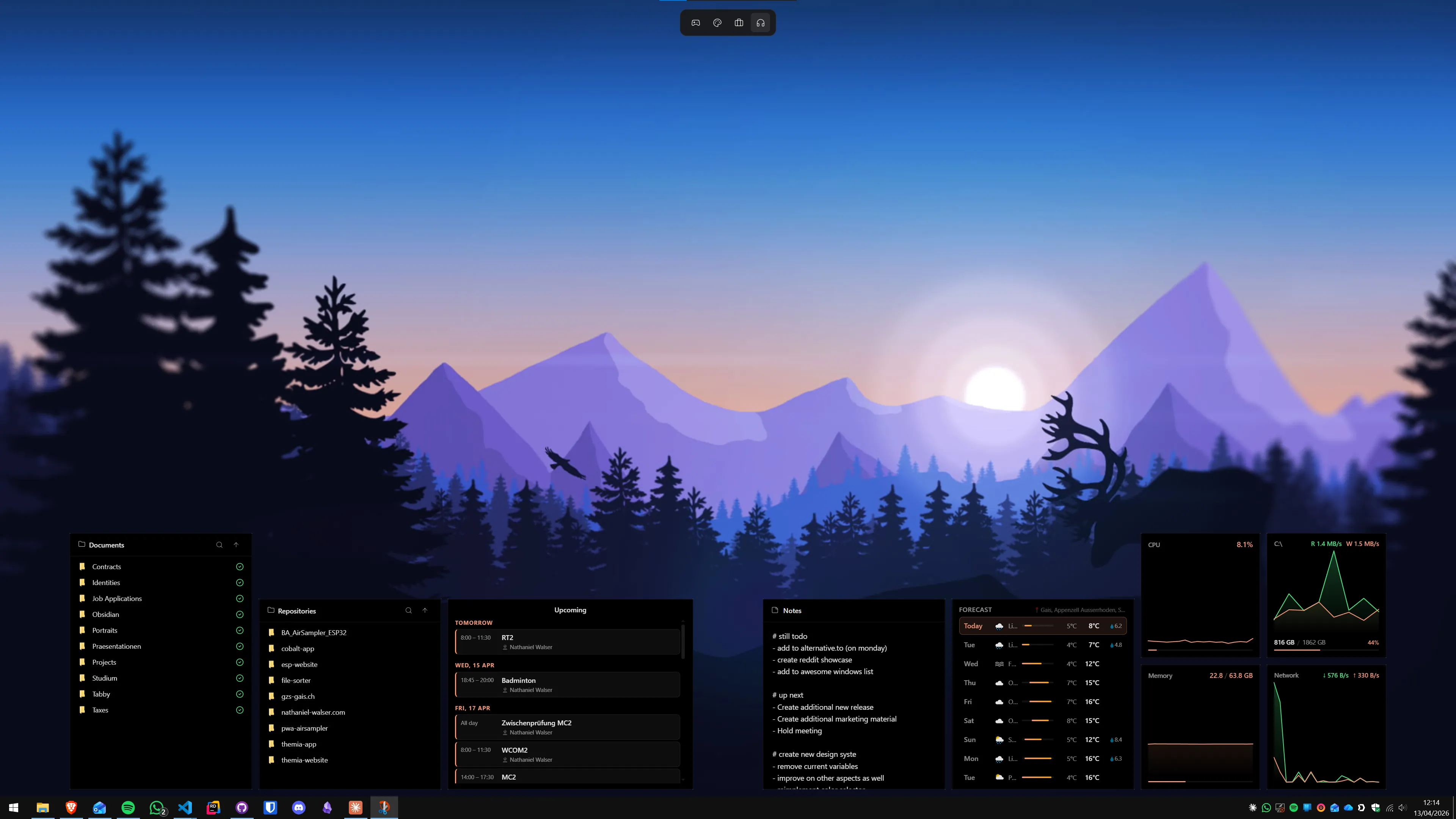
Groupy and TidyTabs organize the windows you have open. Themia adds content to the surface behind those windows. On the days when your screen is full of windows, Groupy is what you want. On the days when it is not — a Monday morning, a focus session, a clean reboot — Themia is what makes your desktop useful instead of blank.
Persistent live information
Your next calendar event, unread mail count, CPU and GPU load, today's weather, the current track, a stock ticker, a to-do list, a shortlist of files you want quick access to. None of this fits in a tab group. It fits on the desktop.
Per-screen layouts
Themia lets you define and switch between desktop layouts (work vs. personal, focus vs. relaxed) per monitor. Groupy's equivalent is the Groupings feature — but it is saving window groups, not desktop content. The two features coexist cleanly.
Built-in integrations
Microsoft 365, Gmail, calendar services, weather, Spotify, Apple Music, GitHub, RSS. Themia pulls live data. Groupy and TidyTabs are pure windowing tools and never touch the network.
Which should you pick?
This one really depends on the shape of your mess.
Get Groupy (or TidyTabs) if your daily pain is window sprawl — too many open apps, Explorer windows multiplying, alt-tab no longer useful. It is one of the single best quality-of-life investments a heavy Windows user can make.
Get Themia if your daily pain is the opposite — a blank wallpaper behind your windows, no quick glance at today's schedule, inbox, weather, system load, or files. That is the space Themia fills.
Power users usually end up with both. Groupy (or TidyTabs) keeps the window layer tidy; Themia keeps the desktop layer useful. Between the two, you are solving the two distinct kinds of Windows clutter in the places they actually live.