Stardock Object Desktop vs Fences: Which to Buy 2026
When you land on Stardock's website looking for a desktop organizer, you face an immediate fork in the road: buy Fences 6 standalone or subscribe to the full Object Desktop suite. The pricing structures are different, the scope is very different, and picking the wrong one means either overpaying for apps you will never open or missing tools that would genuinely help your workflow.
This guide cuts through the marketing copy and answers the practical question: what do you actually get at each price point, which option fits which type of user, and where does Themia — a lightweight widget alternative — sit in the picture for people whose real goal is a cleaner, more useful desktop?
What Stardock Object Desktop Is
Object Desktop is Stardock's annual subscription that bundles most of their Windows desktop customization software into a single payment. Instead of buying each application separately, you pay one annual fee and get access to the full roster of currently bundled tools.
As of 2026, the Object Desktop bundle includes:
- Fences 6 — icon containers, auto-organize rules, Desktop Pages, folder portals, container tabs
- Start11 — Start menu replacement with Windows 10 and custom layout options
- Groupy — merges application windows into tabbed groups, similar to browser tabs for your apps
- Curtains — applies visual themes to Windows 11 title bars, window frames, and controls
- WindowBlinds — deeper skinning engine for the entire Windows UI
- Multiplicity — share one keyboard and mouse across multiple PCs on the same network
- Several additional utilities depending on your subscription tier
The subscription model means that as long as your subscription is active, you receive updates and new versions of every bundled application. If you cancel your subscription, you lose access to all the tools — there is no perpetual fallback included.
What You Get With Fences 6 Standalone
Fences 6 as a standalone purchase is a single application focused entirely on desktop icon management. It does not include Start11, Groupy, Curtains, WindowBlinds, or any other Stardock tools. What it does include is the complete Fences feature set:
- Icon containers — resizable, labeled panels that group desktop shortcuts and files
- Container tabs — multiple named icon groups inside a single fence container (new in Fences 6)
- Auto-organize rules — file routing by name pattern, extension, or date, automatically placing new desktop files into the correct fence
- Desktop Pages — full virtual desktop surface switching, similar to swiping between home screens on a phone
- Folder portals — live display of a real disk folder's contents inside a fence container
- Quick-hide — double-click any empty desktop area to instantly hide or show all fences
- Roll-up / shade — collapse a fence to its header bar with a double-click on the title, then expand it back
- Blur backgrounds — semi-transparent blurred backgrounds behind fence containers
The standalone license is available at $9.99 per year as a subscription or $29.99 as a one-time perpetual license. The perpetual license covers all minor updates within the Fences 6 generation. Major version upgrades to a hypothetical Fences 7 would be a separate purchase at a discounted upgrade price.
For a deeper look at whether the Fences standalone price makes sense on its own merits, see our full breakdown at Is Stardock Fences Worth It in 2026.
Pricing Comparison
The core financial comparison breaks down like this. Object Desktop is an annual subscription — exact pricing varies but the bundle is designed to cost less than buying the individual apps separately. Fences standalone is available as either an annual subscription at $9.99 or a one-time $29.99 perpetual license.
The math favors Object Desktop only if you actively use multiple bundled applications. If Fences is the one tool you want and you plan to keep it for three or more years, the $29.99 perpetual standalone license costs less in total than an annual Object Desktop subscription would over the same period.
The math tips toward Object Desktop when you consider that Start11 alone has its own standalone price, as does Groupy. If you are already paying for Start11 separately and want to add Fences, bundling them both inside an Object Desktop subscription can work out cheaper than maintaining separate licenses for each.
Who Should Buy Object Desktop
Object Desktop makes the most sense for a specific type of power user: someone who wants deep Windows UI customization across multiple dimensions simultaneously. If you want a custom Start menu, a way to group application windows into browser-style tabs, visual theme control over Windows window frames, and icon organization all in one payment, Object Desktop delivers all of that.
It also suits users who want to stay on the cutting edge of Stardock's development. The subscription model means you automatically receive new versions and new bundled tools as they ship. For enthusiasts who genuinely engage with desktop customization as a hobby, the subscription is a reasonable investment into a regularly updated ecosystem.
Corporate users with volume licensing needs may also find Object Desktop's multi-seat tiers attractive, since a single subscription can cover multiple machines under the same license agreement.
Who Should Buy Fences Standalone
Fences standalone is the right choice for users who have a clear, single need: desktop icon organization. If you have accumulated dozens or hundreds of shortcuts on your desktop over the years and you want to sort them into labeled groups with automatic routing rules for new files, Fences is the most capable tool available for that specific job.
The $29.99 perpetual license is particularly sensible if you expect to use Fences for several years without needing the other Object Desktop tools. Pay once, use indefinitely within the Fences 6 generation, and avoid the annual renewal concern.
The $9.99 annual subscription makes more sense if you are not sure how long you will need Fences, want to stay current on new features as Stardock releases them, or already know you will evaluate Object Desktop in the near future and want to start on the subscription track.
The new container tabs feature in Fences 6 is a meaningful reason to choose the current version specifically if you have a large icon collection. Tabs let a single fence container hold multiple named groups, reducing the number of separate containers that compete for desktop real estate.
Where Themia Fits In
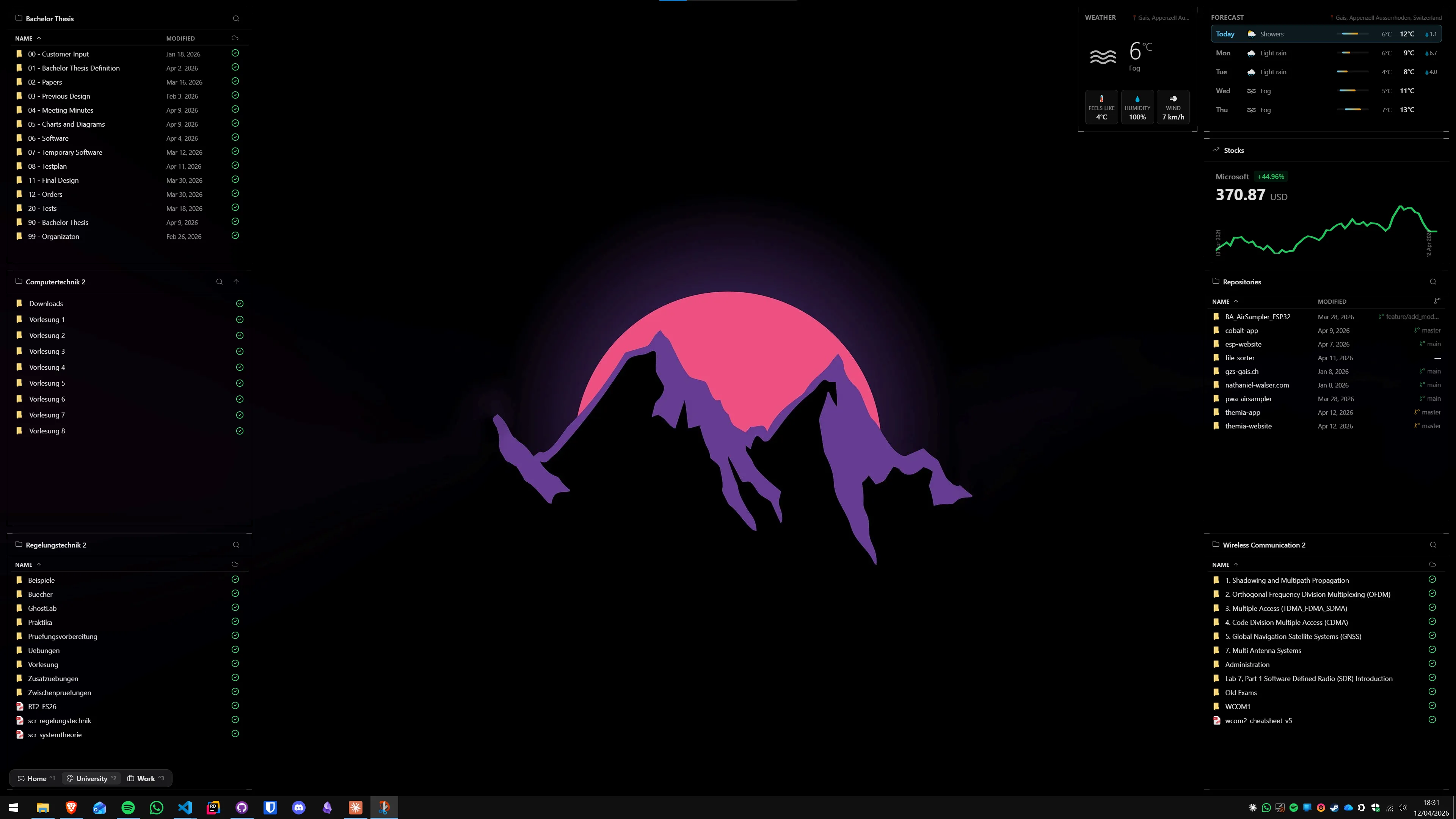
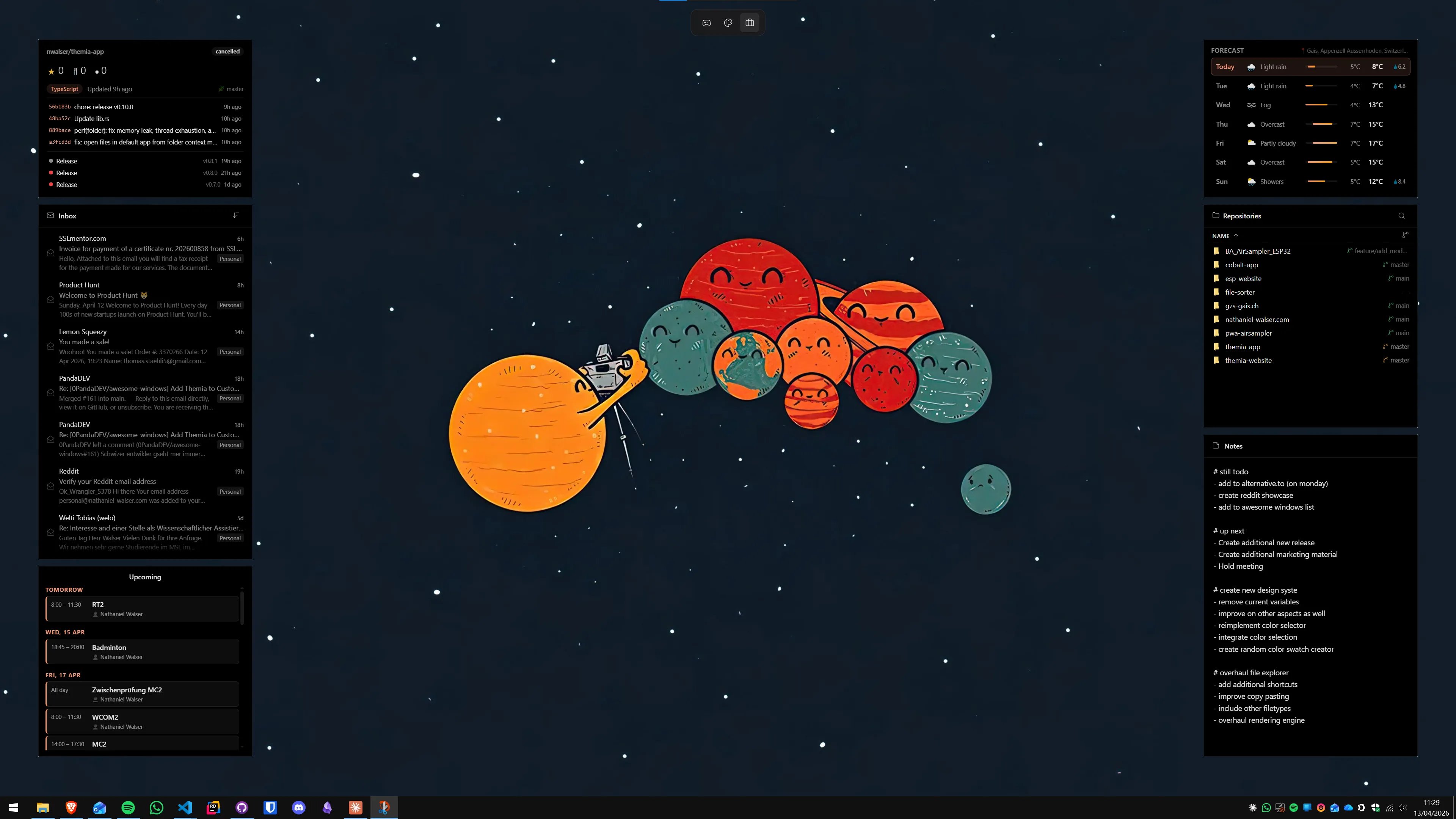
Themia is not a Fences clone or an Object Desktop replacement. It is a different answer to the question of what a useful desktop should look like. Rather than organizing existing shortcuts into neater containers, Themia proposes replacing those shortcuts with live-data widgets that surface information directly on the desktop surface.
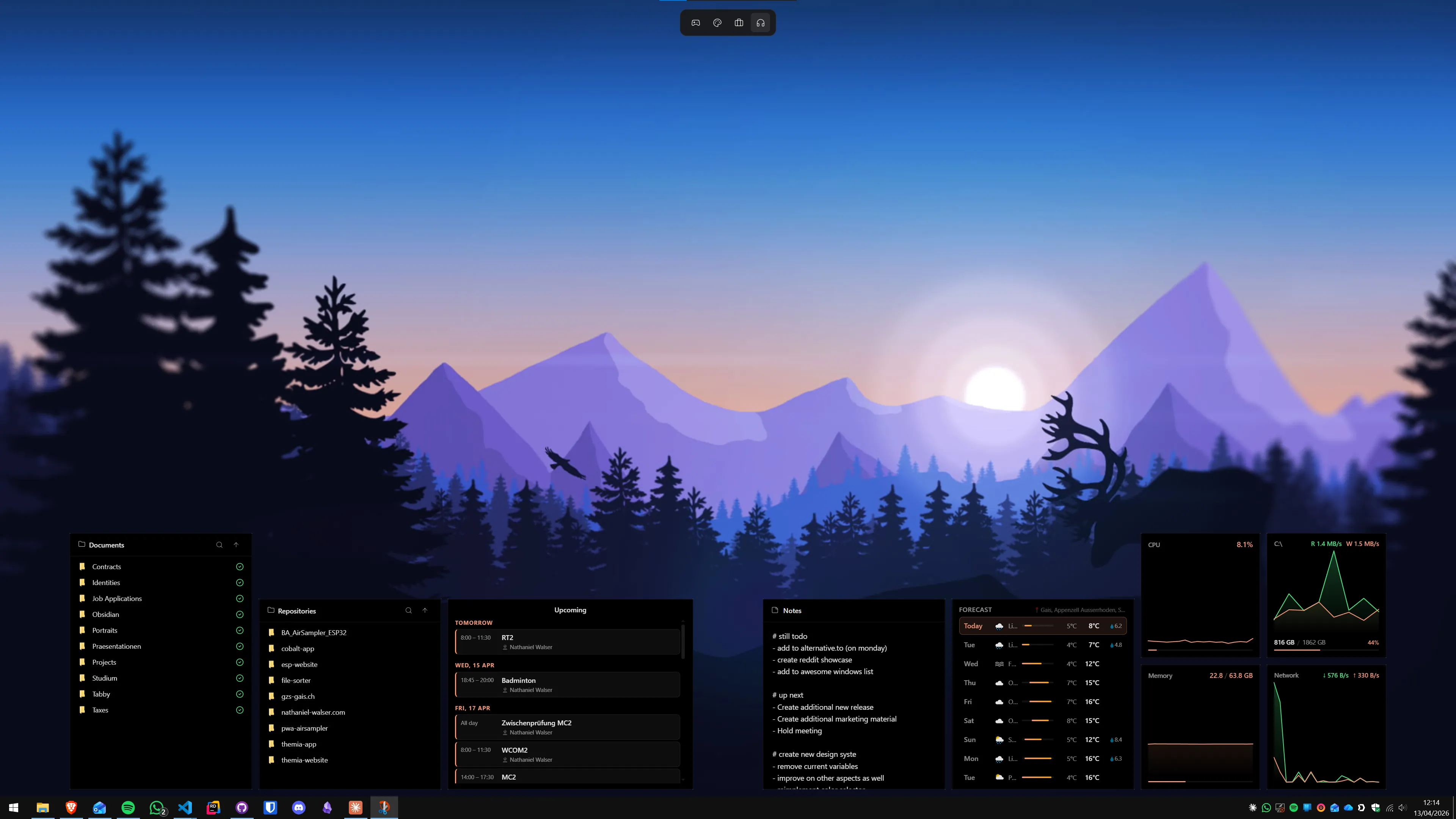
The widget library includes: files (recent and pinned), email preview, calendar events, weather and forecast, system performance stats (CPU, RAM, disk, GPU), stock prices, music playback controls, battery status, sticky notes, to-do lists, contacts, RSS feeds, and GitHub activity. Each widget is individually sized and positioned within a layout panel that renders on the desktop background, below active application windows.
Themia is a native Tauri application, installs in under 10 MB, and runs on Windows 10 and Windows 11. The free tier provides up to two widget layouts — enough to cover a single-monitor setup with a full range of information widgets. The Pro upgrade is a one-time $19 payment with no annual renewal.
For users who have already shifted their file-opening habits away from desktop shortcuts and toward the Start menu, taskbar pinning, and keyboard launchers, Themia offers a more meaningful desktop upgrade than a container organizer. The desktop becomes an information surface rather than a filing system.
For users who genuinely rely on desktop shortcuts as their primary navigation method — which is common for graphic designers, developers with many project shortcuts, and anyone who learned Windows before the Start menu matured — Fences remains the more specialized and capable choice for the icon-organization problem.
Both tools can coexist on the same machine without conflict. Themia widgets and Fences containers sit on the same desktop layer and do not interfere with each other. Some users run a reduced set of Fences containers for project shortcuts while Themia handles the information-display layer alongside them. See our full head-to-head at Themia vs Stardock Fences for that comparison in detail.
Feature Gaps to Know About
Before committing to either Object Desktop or Fences standalone, it is worth understanding what neither product provides. Both Fences and the Object Desktop bundle are fundamentally icon and window management tools. Neither adds live information widgets to the desktop. Fences containers display icons; they do not display weather, calendar data, email subjects, or system performance graphs.
Additionally, neither Fences nor Object Desktop supports per-screen widget layouts or automatic layout switching based on which monitor is active. Themia's per-screen switchable layouts — a single Themia instance can show different widget configurations on each monitor simultaneously — have no equivalent in the Stardock ecosystem.
The alternative guide covers this gap in detail, but the short version is: if live desktop information is on your wishlist alongside icon organization, plan to run Themia alongside whichever Stardock product you choose, rather than expecting either Fences or Object Desktop to cover that need.
Decision Summary
Three scenarios summarize the choice clearly:
- You only want icon organization — buy Fences 6 standalone at $29.99 perpetual. Pay once, get the full Fences feature set including tabs, auto-organize, Desktop Pages, and folder portals.
- You want Fences plus a custom Start menu, window tabs, and theme control — evaluate the Object Desktop subscription. The bundle likely costs less than purchasing Start11, Groupy, and Fences separately.
- You want live desktop information and a cleaner aesthetic — start with Themia's free tier. If after a few weeks you still feel the need for icon containers, add Fences on top. Many users find the widget approach eliminates the perceived need for containers in the first place.
You can see Themia's Pro pricing and compare free tier limits at the Themia pricing page.
FAQ
What is the difference between Object Desktop and Fences standalone?
Fences standalone is a single application that groups and organizes desktop icons into labeled containers. Object Desktop is Stardock's annual subscription bundle that includes Fences plus Start11 (Start menu replacement), Groupy (tab-based window grouping), Curtains (theme engine), WindowBlinds (visual skin engine), Multiplicity (multi-PC keyboard/mouse sharing), and more. If you only need icon organization, Fences standalone is the more focused purchase.
How much does Stardock Fences 6 cost in 2026?
Fences 6 is available as a $9.99 per year subscription or a $29.99 one-time perpetual license. The perpetual license is the better long-term value unless you also want the other apps bundled in Object Desktop, in which case the annual Object Desktop subscription may work out cheaper per tool.
Is Object Desktop worth the annual subscription price?
Object Desktop makes financial sense if you actively use three or more of the bundled applications — Fences, Start11, Groupy, Curtains, and WindowBlinds each have standalone prices of their own. If you only want Fences, the $29.99 perpetual standalone license is the more economical route.
What features does Fences 6 include?
Fences 6 includes icon containers (fences), auto-organize rules that route incoming files by name or type, Desktop Pages (full virtual desktop switching), folder portals (live folder content on the desktop), quick-hide (double-click the desktop to hide or show all fences), roll-up/shade (collapse a fence to just its header bar), and the new container tabs that let a single fence hold multiple named icon groups.
Does Themia replace Fences or Object Desktop?
Themia does not replicate icon-grouping containers, but it addresses the underlying goal differently. Rather than organizing desktop shortcuts into containers, Themia replaces the need for those shortcuts by surfacing live information — files, email, calendar, weather, system stats, and more — directly on the desktop as widgets. Many users find that a Themia widget dashboard reduces the number of icons they need to manage in the first place.
Can I run Themia alongside Fences?
Yes. Themia and Fences operate independently and do not conflict. Some users keep a minimal set of Fences containers for project shortcuts while using Themia widgets to surface calendar appointments, weather, and system information. Themia sits below active windows on the desktop layer, the same way Fences containers do, so both appear simultaneously without overlap issues.
What is the cheapest way to get a clean Windows desktop in 2026?
The cheapest route is Themia's free tier, which supports up to two widget layouts with no time limit. It provides a file widget, calendar, weather, notes, and other live panels at no cost. If you specifically need Fences' icon-grouping and auto-organize capabilities, the $29.99 perpetual Fences license is the most cost-effective paid option — no annual renewal required.