Stardock Fences vs Themia vs Nimi Places (2026)
Three tools come up constantly when people search for a way to bring order to a chaotic Windows desktop: Stardock Fences, Themia, and Nimi Places. They solve overlapping but distinct problems, which makes the comparison surprisingly nuanced — the "best" one depends entirely on what your desktop actually needs.
This guide breaks down each tool honestly: what it does well, what it does not do, who it is built for, and how much it costs. No sponsored rankings, no vague bullet lists — just what you actually need to know before deciding.
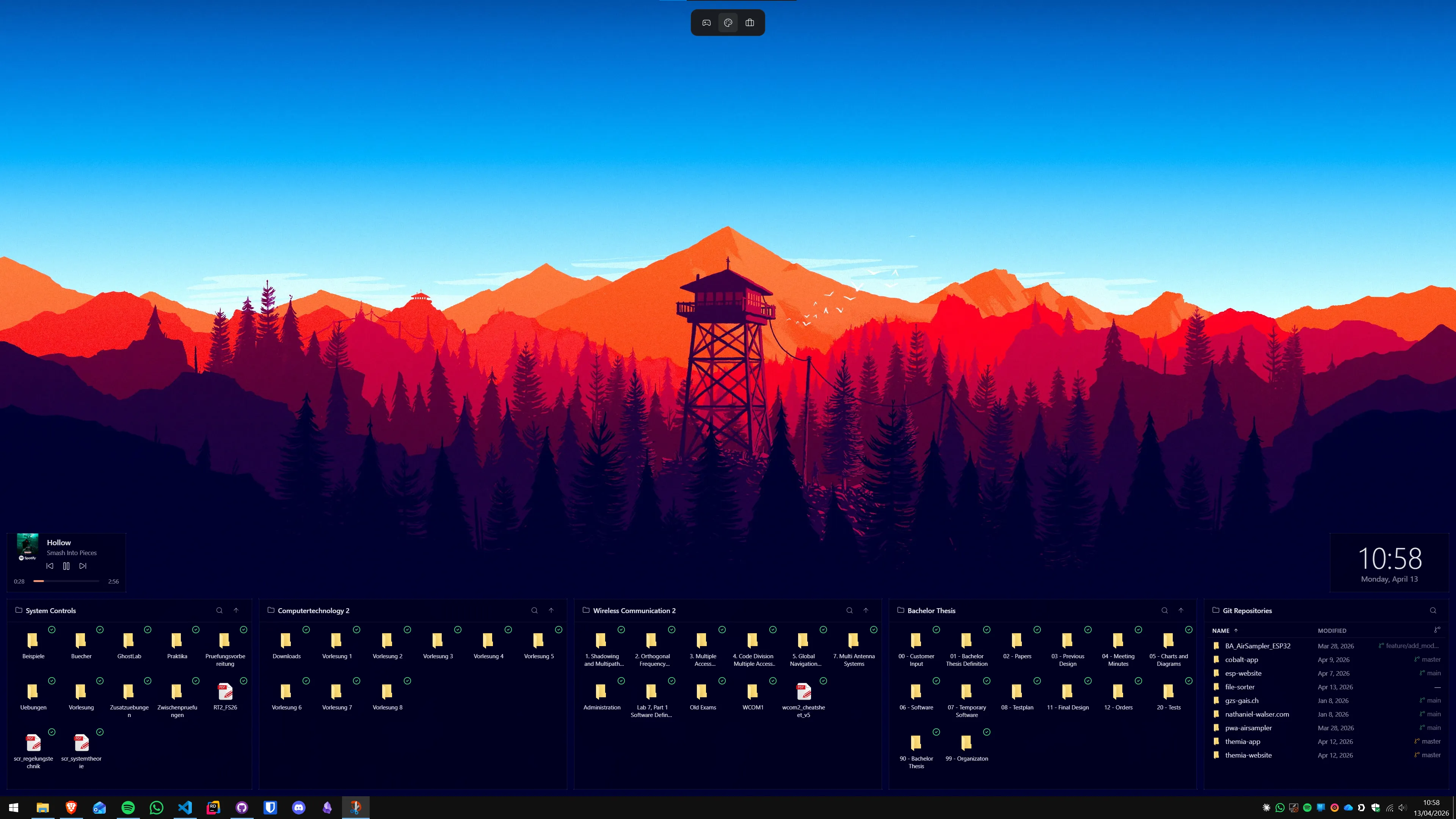
What problem each tool actually solves
Before comparing features, it helps to understand the different problems these tools address:
- Stardock Fences solves the icon pile. If your desktop has dozens of files, shortcuts, and folders scattered randomly, Fences lets you group them into labeled, resizable containers — and optionally auto-sort new icons into the right container by file type or name. It is entirely about organizing what is already on the desktop.
- Nimi Places solves the same icon problem with a simpler, free approach — labeled container areas for grouping icons without the depth of rules or the collapsible-fence concept.
- Themia solves a different problem: adding live information to a blank or cluttered desktop. Weather, calendar events, system stats, email counts, news headlines, stock prices — widgets that sit on the wallpaper and update continuously. It does not organize icons at all.
This distinction matters. Many people comparing these tools are actually looking for two different things at once and may need more than one of them.
Stardock Fences 6
Fences has been the dominant Windows desktop organizer for well over a decade. Version 6 builds on that history with a refined UI, improved multi-monitor handling, and a more polished auto-organization system.
Core features
- Fence containers: drag a rectangle anywhere on the desktop to create a labeled group. Icons inside stay put. Fences resize by dragging any edge.
- Collapse on double-click: the entire fence collapses to just its title bar, saving space. Double-clicking again expands it.
- Quick-hide: double-clicking empty desktop space hides all icons and fences instantly, exposing the clean wallpaper. One more double-click restores everything.
- Auto-organize rules: configure rules so that documents go into a Documents fence, images into a Photos fence, and so on — automatically, the moment a file hits the desktop.
- Desktop pages: organize icons across multiple "pages" you swipe between, similar to a phone home screen.
- Per-monitor layouts: different fence layouts on each connected display, with icons assigned to specific screens.
- Folder portals: a fence that mirrors the contents of a folder, so you can access a folder's files directly on the desktop without moving them there.
Pricing
Fences 6 is sold through the Stardock Object Desktop suite or as a standalone purchase. The standalone pricing at time of writing offers both a one-time purchase option and an annual subscription. Check the current Stardock website for exact figures, as pricing changes with version updates and promotions.
Trade-offs
Fences is a shell extension — it integrates directly into Windows Explorer. That is what gives it the seamless icon-management experience, but it also means it runs with Explorer, uses moderate memory at idle, and occasionally needs attention after a major Windows update. The feature set is deep, which also means the learning curve is real: new users often spend time figuring out the difference between fence types, pages, and rules before things click.
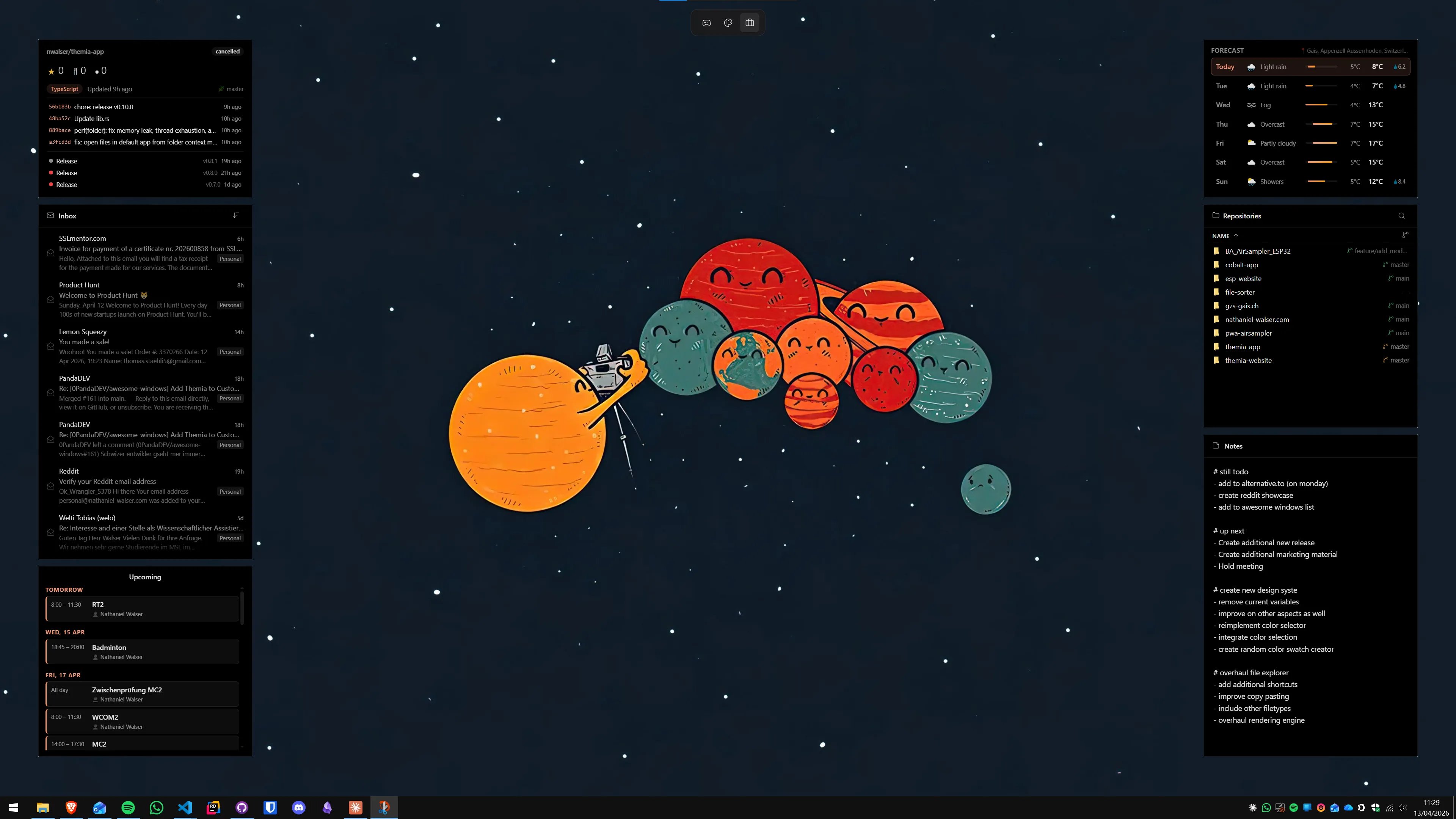
Themia
Themia approaches the desktop from the opposite direction. Rather than organizing what is already there, it adds new kinds of information. The app is built on Tauri — a lightweight Rust-based framework — which is why the installer is under 10 MB and the running footprint is much smaller than a browser-based desktop tool.
Core features
- Live widgets on the wallpaper: weather conditions and forecast, calendar with upcoming events, system stats (CPU, RAM, network), email unread counts, stock/crypto prices, news headlines, notes, and more.
- Drag-and-drop layout: place any widget anywhere on the desktop. Resize by dragging corners. Snap to a grid for alignment.
- Per-screen layouts: on a multi-monitor setup, each display can have an entirely different widget arrangement.
- Works on local accounts: no Microsoft account required, unlike the Windows 11 Widgets panel.
- Small installer: under 10 MB, runs on Windows 10 and 11.
Pricing
Themia has a free tier that covers the weather widget and several others. The Pro upgrade ($19 one-time) unlocks premium widget styles, custom backgrounds, per-widget themes, and the full widget catalog. No subscription.
Trade-offs
Themia does not help with icons at all. If your desktop is a chaotic pile of files and shortcuts, Themia puts a nice weather widget on top of the chaos but does not address it. The tool is for people whose icon situation is either already handled (they keep the desktop clean, or use Fences for grouping) and who want live information visible at a glance.
Nimi Places
Nimi Places is the free contender in the icon-organization space. It creates labeled container areas on the desktop where you can drop icons, similar in concept to Fences but lighter on features and completely free.
Core features
- Container areas: create labeled groups for icons anywhere on the desktop. Drag icons in; they stay grouped.
- Custom backgrounds: each container can have a different background color or image.
- Resize and move: containers resize and reposition freely.
- Lightweight: not a shell extension, so minimal system impact at idle.
- Free: no purchase required, no subscription, no nag screens.
Trade-offs
Nimi Places lacks the deeper features that make Fences compelling for power users: no collapse-to-title-bar behavior, no auto-organization rules, no desktop pages, no folder portals. It is a simpler tool. Updates are less frequent than Fences or Themia, and the project has a smaller community around it. For someone who just wants basic grouping without paying for Fences, it gets the job done.
Head-to-head: where each tool wins
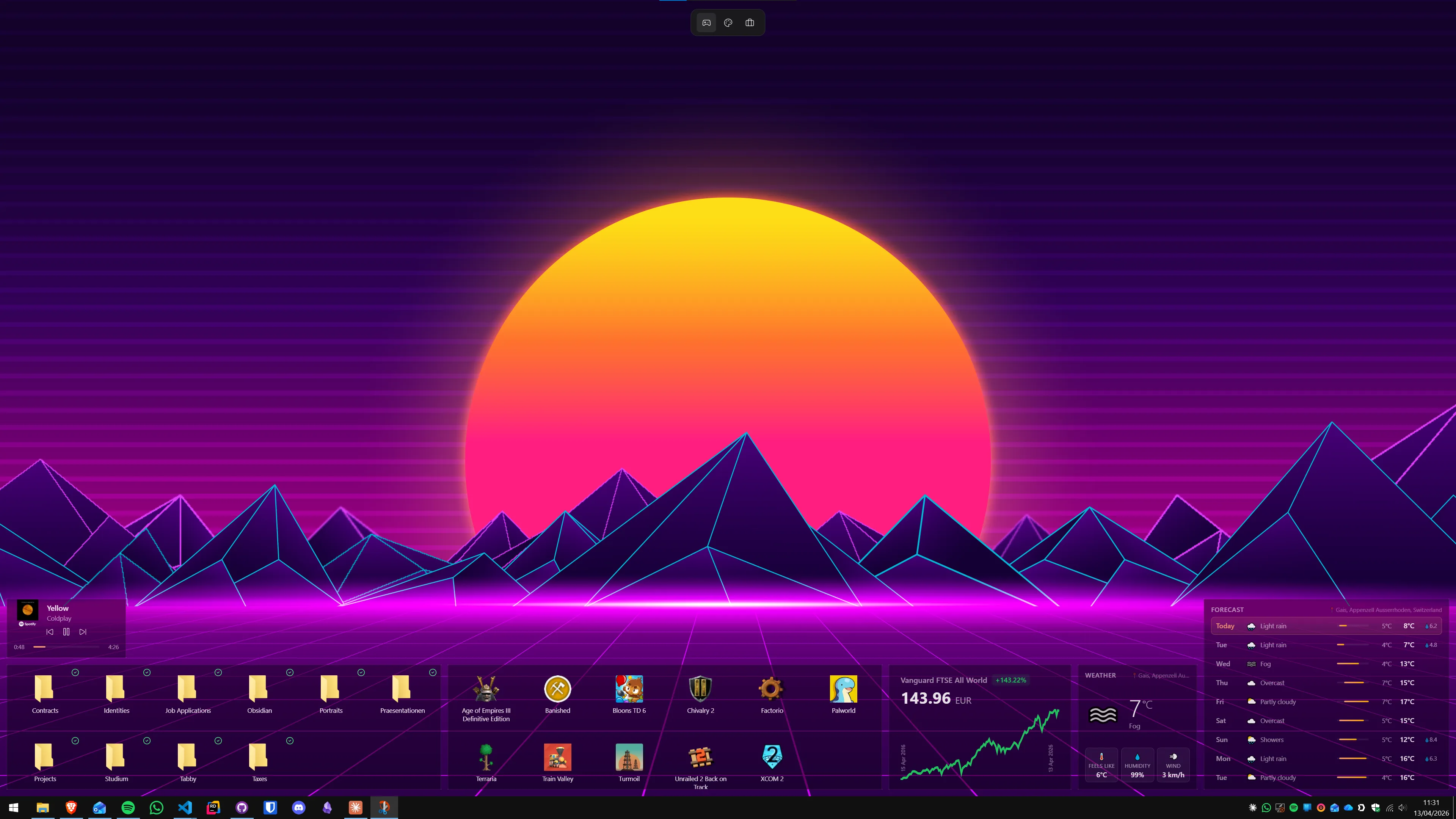
Icon organization depth
Winner: Stardock Fences. Nothing else on Windows matches the depth of Fences for icon management — auto-rules, pages, folder portals, collapse behavior, and per-monitor precision. Nimi Places offers basic grouping for free. Themia does not compete in this category.
Live desktop information
Winner: Themia. Fences and Nimi Places both show zero live information — they manage icons, period. Themia is the only one of the three that displays weather, calendar, system stats, or any dynamic content. If you want a desktop that tells you things, Themia is the answer and the others are not even in the running.
Cost
Winner: Nimi Places (free) or Themia (free tier). Nimi Places is free with no strings. Themia's free tier covers weather and several other widgets. Stardock Fences requires a purchase for full functionality. If budget is the primary constraint, start with Nimi Places for icon grouping and Themia's free tier for widgets.
Performance footprint
Winner: Themia or Nimi Places. Fences is a shell extension and carries a proportionally higher idle footprint because it integrates with Explorer. Themia and Nimi Places both run as overlay apps, lighter on system resources. On a machine with 16 GB or more of RAM, this difference is rarely practical — but on older hardware with 4–8 GB, it can matter.
Multi-monitor support
Winner: Stardock Fences. Fences has the most mature multi-monitor feature set of the three, with per-monitor icon assignment and layout precision. Themia supports per-screen widget layouts well. Nimi Places handles multiple monitors but without per-monitor configuration depth.
Setup time
Winner: Themia. Installing Themia, adding a weather widget, and entering a city name takes about ninety seconds. Nimi Places takes a few minutes to set up your first containers. Fences takes longer — the full feature set rewards investment, but first-time setup of rules and layouts can take an evening.
Which combination makes the most sense?
For many users, the question is not which one to pick but which combination to use:
- Icon chaos + want live info: Fences for organization, Themia for widgets. They run side by side without conflict. This is the richest desktop experience — grouped icons and live information simultaneously. We have a longer guide on using Themia and Fences together.
- Icon chaos, tight budget: Nimi Places (free) for grouping, Themia free tier for weather. Both free, covers the basics.
- Desktop already tidy, want live info: Themia alone. No need to add an icon organizer if icons are not the problem.
- Icons only, no interest in widgets: Fences if budget allows, Nimi Places if free is the requirement.
See our full Stardock Fences alternatives guide and the Themia vs Stardock Fences direct comparison for deeper dives into individual pairings.
Bottom line
These three tools do not really compete head-to-head — they occupy different niches. Stardock Fences is the best Windows icon organizer. Themia is the best desktop widget platform. Nimi Places is the best free icon organizer. Pick based on what your desktop actually lacks, not on which app has the most features.
If you are not sure where to start: install Themia's free tier first (it takes ninety seconds and nothing to uninstall is burdensome), use it for a week, and then decide whether the icon situation also needs attention. Most people discover that the widgets address the "my desktop feels useless" feeling faster than they expected.
FAQ
Is Stardock Fences still the best Windows desktop organizer in 2026?
Fences remains the most capable icon-organization tool on Windows — collapsible fence containers, rules-based auto-sorting, page-based layouts, and per-monitor configurations are all mature and polished. Whether it is the "best" depends on what you need: if icons are your problem, Fences is hard to beat. If you want live information on the desktop (weather, calendar, system stats), Themia addresses that need and Fences does not.
Is Nimi Places completely free?
Yes. Nimi Places is free to download and use with no subscription, no nag screens, and no feature gating after a trial period. It is a smaller project than Fences or Themia and is updated less frequently, but the core container functionality works reliably on Windows 10 and 11.
Can I use Themia and Stardock Fences at the same time?
Yes, and many people do. Fences handles icon grouping and auto-organization while Themia adds live-information widgets on top. They do not conflict because they serve different purposes: Fences is a shell extension that manages icon positions, Themia is an overlay app that draws widgets above the wallpaper. Running both does increase memory use, but on most modern machines the combined overhead is not noticeable.
Does Nimi Places slow down Windows?
Nimi Places is very lightweight. It is not a shell extension like Fences, so it does not hook into Explorer at the same level. Resource usage is minimal at idle. The trade-off is that it does not have the same depth of features — no auto-sorting rules, no page-based layouts, no double-click-to-hide. It is simpler software with simpler overhead.
Which of these works on Windows 10?
All three — Stardock Fences 6, Themia, and Nimi Places — support Windows 10 alongside Windows 11. Fences requires Windows 10 version 1903 or later. Themia requires Windows 10 build 1803 or later. Nimi Places works on Windows 10 from the start of the OS lifecycle.
Which organizer is best for a multi-monitor setup?
Stardock Fences has the most robust multi-monitor support of the three — you can assign fences to specific monitors, set different layouts per screen, and have icons snap to the correct monitor automatically. Themia also supports per-screen widget layouts, which is useful if you want different information displayed on each monitor. Nimi Places handles multiple monitors at a basic level but lacks per-monitor configuration depth.