10 Best Rainmeter Alternatives for Windows (2026)
Rainmeter is the grandfather of Windows desktop customization — free, infinitely flexible, and almost two decades old. It is also not for everyone. If you have ever stared at a .ini file trying to figure out why your skin will not load, you know what I mean.
This list is an honest, 2026-current rundown of the best Rainmeter alternatives on Windows 10 and 11. Not just widget apps — I am including icon organizers, wallpaper apps, and the built-in Windows Widgets Board, because "Rainmeter alternative" means different things to different people. Each entry has a clear "best for" tag so you can skim.
At a glance
If you only want the summary:
- Best modern widget app: Themia
- Closest to Rainmeter for tinkerers: XWidget
- Best for taming desktop icons: Stardock Fences
- Best free icon organizer: Nimi Places
- Best for Windows 7 gadget nostalgia: 8GadgetPack
- Best for decoration (pair with a widget app): Wallpaper Engine or Lively Wallpaper
The 10 best Rainmeter alternatives in 2026
Themia
Top pickNative, modern, and built for people who want the result without the tinkering.
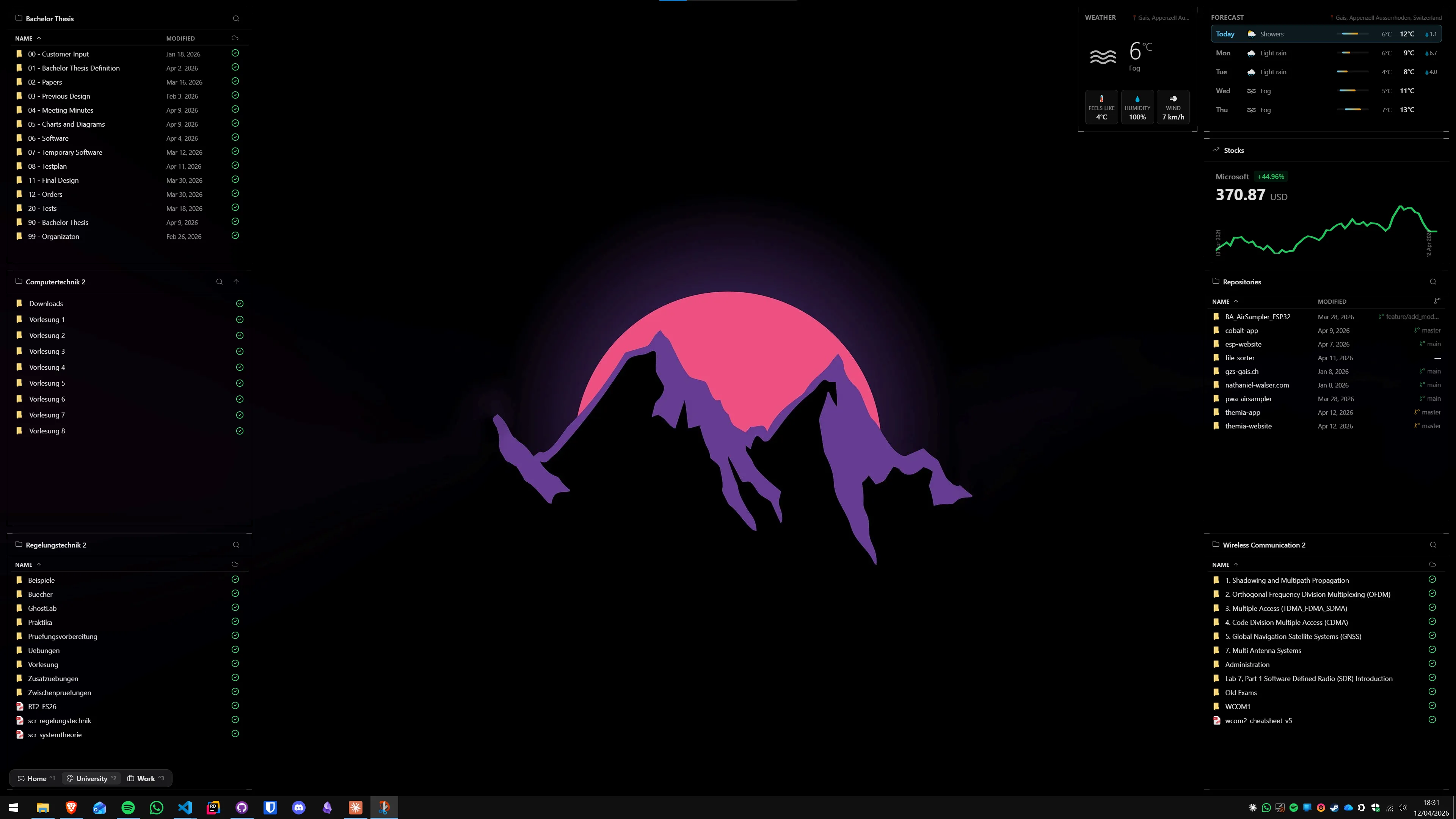
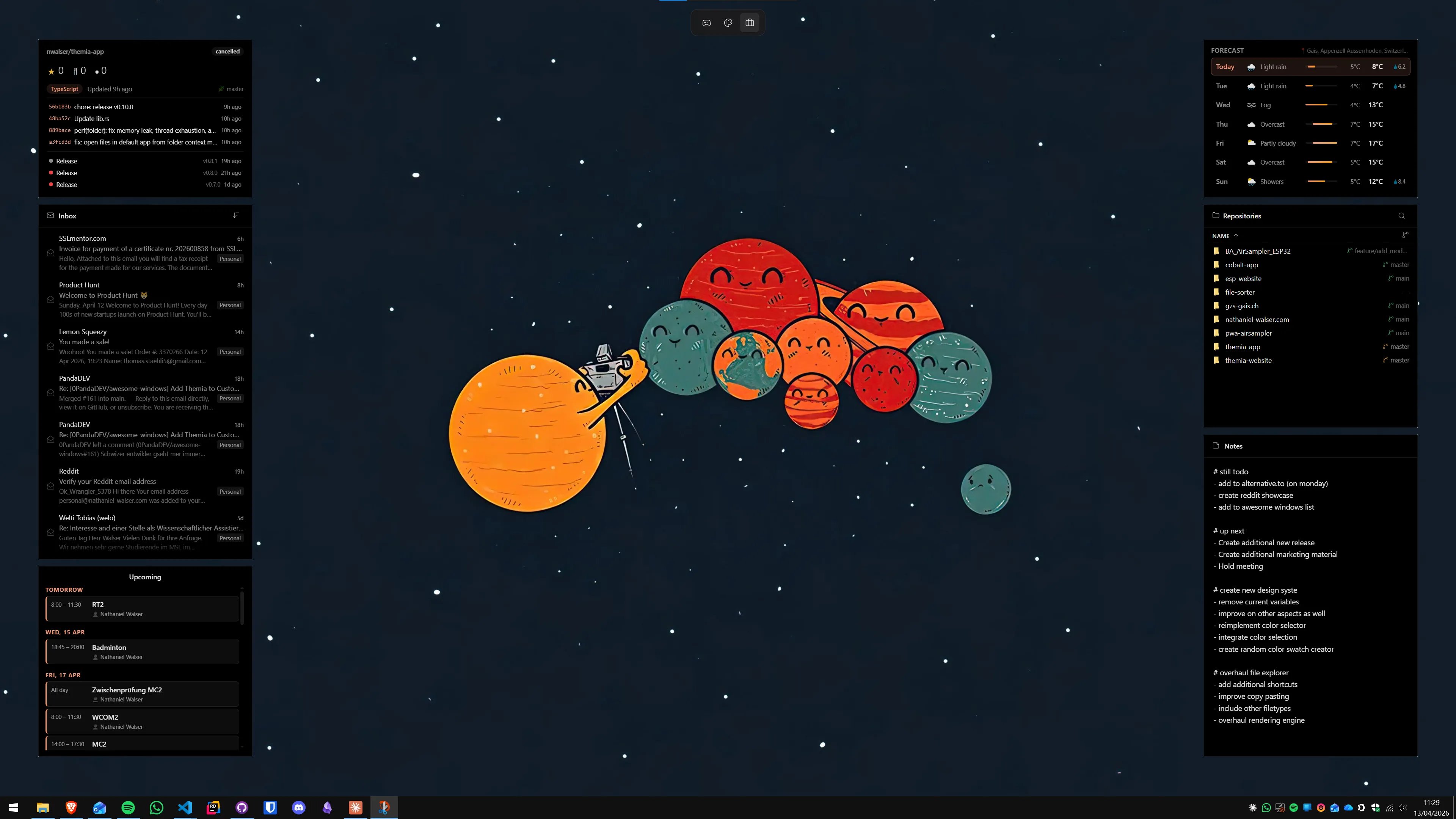
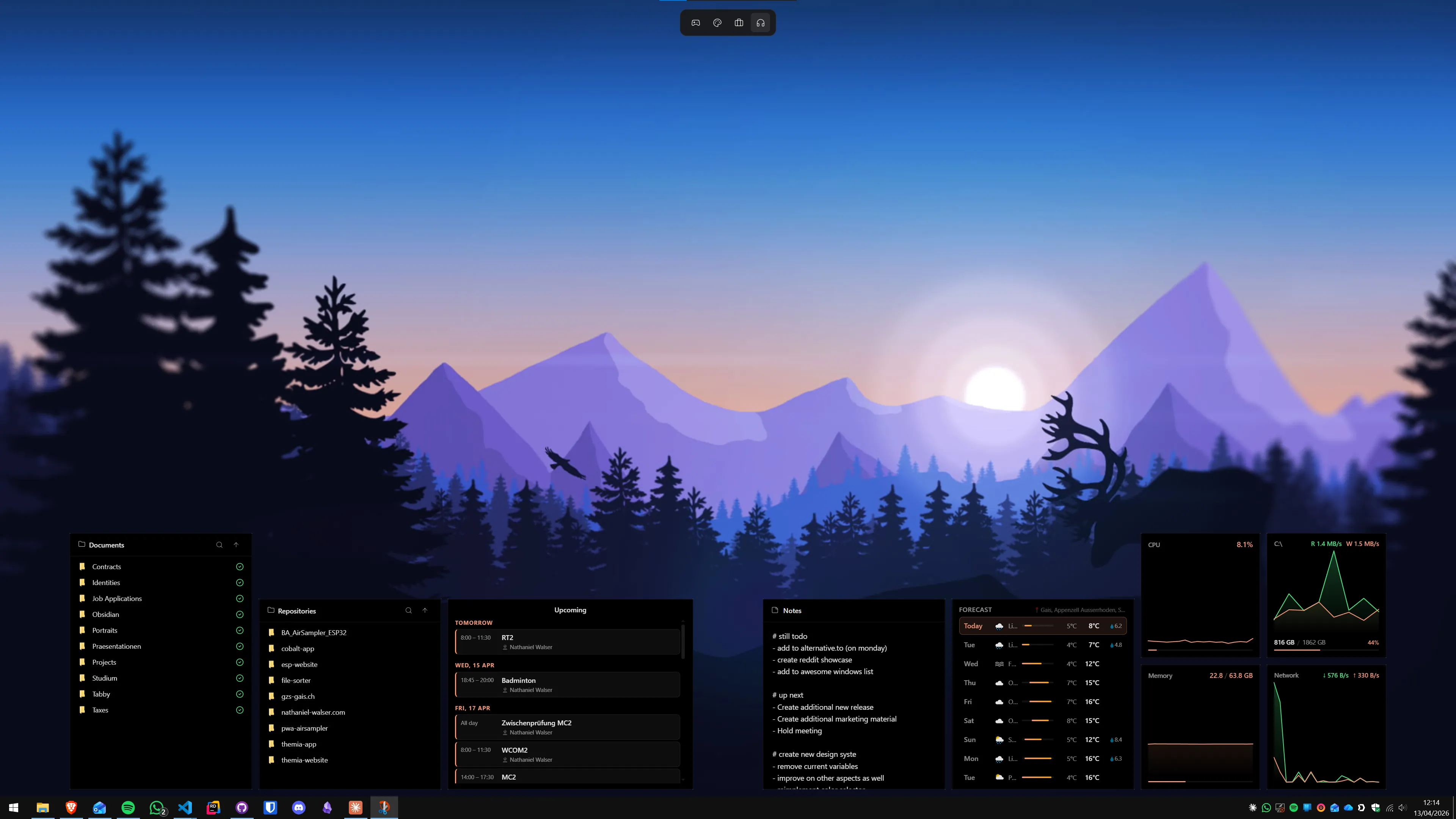
Themia is a native Tauri app for Windows 10 and 11 that drops live widgets onto your desktop the way Rainmeter drops skins — except the widgets are first-party, designed as a set, and you add them by clicking "Add widget" rather than editing a config file. It ships with widgets for files, email, calendar, weather, system stats (CPU/GPU/RAM/disk/network), stocks, music, notes, to-do, RSS, GitHub, and battery, and supports per-screen switchable layouts so you can define work, personal, and focus contexts.
Pros
- Zero config files; visual editor
- Unified design across every widget
- Small footprint — under 10 MB install
- First-class OAuth for M365, GitHub
- Active development, auto-updates
Cons
- No third-party skin ecosystem yet
- Less raw flexibility than Rainmeter
- Pro tier required for some widgets
Read the deep dive: Themia vs Rainmeter.
XWidget
For tinkerersThe closest spiritual successor to Rainmeter if you love the customization process itself.
XWidget has been around for more than a decade. It is a widget engine with a built-in visual designer, a large community gallery, and a free tier with a paid Pro upgrade. The aesthetic is a bit more varied than Themia's — some community widgets are beautiful, others look straight out of 2011 — but the flexibility is there.
Pros
- Large gallery of free community widgets
- Visual designer for your own widgets
- Long track record
Cons
- Inconsistent visual quality across widgets
- UI feels dated
- Some features gated behind Pro
Related: Themia vs XWidget.
Stardock Fences
Best for icon chaosNot a widget app at all — but the single best answer if your desktop is drowning in icons.
Fences groups desktop icons into labeled, scrollable, collapsible containers ("fences"). Auto-sort rules can route every .pdf or every screenshot into the right fence on its own. Folder portals let a fence mirror a folder on disk. If the problem you are solving is "I cannot find anything on my desktop," this is the Stardock classic for a reason.
Pros
- Excellent auto-sort rules
- Folder portals mirror real directories
- Mature, very stable product
Cons
- Only handles icons — no live widgets
- Paid (via Stardock directly or Object Desktop)
Related: Themia vs Stardock Fences.
Nimi Places
Free organizerThe free, beloved answer to Fences — highly skinnable, file-centric, community-approved.
Nimi Places groups desktop files and shortcuts into themed containers. Each "place" can have custom frames, backgrounds, and icon styles. It is free (donationware), actively used, and lighter in scope than Themia — strictly a file and shortcut organizer, not a live-data widget platform.
Pros
- Free
- Deep container theming
- Stack and rule features for icons
Cons
- No live widgets (email, calendar, stats)
- Aesthetic can drift across containers
Related: Themia vs Nimi Places.
8GadgetPack
Win7 nostalgiaThe most direct revival of Windows 7 sidebar gadgets on modern Windows.
8GadgetPack (recently rebranded GadgetPack) resurrects the original Windows 7 gadget platform Microsoft deprecated and ships 50+ classic gadgets with it — clock, weather, CPU meter, RSS, sticky notes, calendar. Aesthetic is pure Windows 7. If you specifically want that look and feel, nothing else does it more faithfully.
Pros
- Free
- Dozens of built-in gadgets
- Exactly like Windows 7
Cons
- Aesthetic locked in the Windows 7 era
- Reuses an ecosystem Microsoft deprecated for security reasons
- No modern service integrations
Related: Themia vs 8GadgetPack.
Widget Launcher
Microsoft StoreGadget-style widgets with a cleaner UI, installable from the Microsoft Store.
Widget Launcher is a commercial widget app on the Microsoft Store. It updates the Windows 7 gadget concept with a more modern UI, offers a free tier (with ads), and a paid version without. Its widget catalog is smaller than Themia's or XWidget's but broader than 8GadgetPack's nostalgia set.
Pros
- One-click install from Microsoft Store
- Updated UI vs. Win7 gadgets
- Free tier available
Cons
- Free tier contains ads
- Smaller widget catalog
Related: Themia vs Widget Launcher.
Windows 11 Widgets Board
Built-inAlready on your machine — but lives in a panel, not on your desktop.
Microsoft's own widgets effort. Click the icon on the left of the taskbar and the Widgets Board slides over your screen with weather, calendar, news, sports, and a few others. Free, integrated with your Microsoft account, but constrained to a fixed panel width and dominated by an MSN news feed.
Pros
- Free and built in
- Microsoft 365 integration is zero-config
- Opens and closes in one click
Cons
- Widgets live behind a button, not on the desktop
- MSN feed cannot be disabled cleanly
- Very limited widget catalog
Related: Themia vs Windows 11 Widgets.
Wallpaper Engine
Pairs wellNot a widget app. A beautiful complement to one.
Wallpaper Engine on Steam is the most popular way to put animated, interactive backgrounds on a Windows desktop. The Steam Workshop has millions of wallpapers. It supports basic widget-like scenes (clocks, audio visualizers) but is not a general widget platform — use it for decoration and pair it with a dedicated widget app for utility.
Pros
- Massive community library
- Cheap (roughly $4 on Steam)
- Stunning visual results
Cons
- Not a widget platform
- GPU cost can be significant
Related: Themia vs Wallpaper Engine.
Lively Wallpaper
Free & open sourceThe free, open-source wallpaper app in the same category as Wallpaper Engine.
Lively Wallpaper is GPL-licensed, on GitHub and in the Microsoft Store, and supports video, web, and shader wallpapers. Its community library is smaller than Wallpaper Engine's but growing. Like Wallpaper Engine, it offers a path to "widgets" via HTML wallpapers but is not a true widget platform.
Pros
- Free and open source (GPL-3.0)
- Available in the Microsoft Store
- Actively developed
Cons
- Smaller library than Wallpaper Engine
- Not a widget platform proper
Related: Themia vs Lively Wallpaper.
Rainmeter skin packs (Win10 Widgets, Mond, etc.)
Rainmeter-adjacentNot quite alternatives — but enough of a shortcut that they deserve a mention.
If what you really want from Rainmeter is the aesthetic without the config work, curated skin packs like Win10 Widgets or Mond give you a polished, prebuilt look in a few minutes. You still need Rainmeter installed, but you avoid most of the setup pain. Fair warning: skin packs rot — abandoned skins can break on Windows updates.
Pros
- Shortcut to a Rainmeter desktop
- Free
- Huge variety across packs
Cons
- Still requires Rainmeter
- Maintenance varies by author
How to pick
A 30-second decision tree:
- You want a polished, modern widget app with zero config work → Themia.
- You actually enjoy hand-building your desktop → Rainmeter itself, or XWidget.
- Your problem is icons, not widgets → Stardock Fences (paid) or Nimi Places (free).
- You specifically want Windows 7 gadgets back → 8GadgetPack.
- You care more about how it looks than what it shows → Wallpaper Engine or Lively Wallpaper.
FAQ
Is Rainmeter still worth using in 2026?
Yes, if you enjoy the customization process itself. Rainmeter is still free, open source, actively used, and unmatched for total creative control. It is not the easiest starting point, but if you want to hand-craft a desktop down to the pixel, nothing else comes close.
What is the easiest Rainmeter alternative to get started with?
Themia and Widget Launcher are the easiest. Both install like a normal app, let you add widgets from a menu, and require zero config-file editing. Themia has more widget types and a more cohesive design; Widget Launcher leans closer to Windows 7 gadget nostalgia.
Is there a free alternative to Rainmeter?
Yes — Themia has a free tier, 8GadgetPack is entirely free, and Lively Wallpaper is free and open source. The built-in Windows 11 Widgets Board is free too, though it lives in a panel rather than on the desktop.
Does Rainmeter slow down Windows?
Rainmeter itself is very lightweight, but its performance depends entirely on the skins you install. A poorly written skin (especially ones that query hardware or the internet constantly) can cause noticeable CPU use. Well-made skins are essentially free.
Do any Rainmeter alternatives work on Windows 10 and Windows 11?
All the apps in this list support both Windows 10 and Windows 11. A few — notably 8GadgetPack — need to patch parts of Windows to restore features Microsoft deprecated; newer native apps like Themia do not.