Themia vs Widget Launcher: Windows Widgets Compared
Widget Launcher is one of the more popular desktop widget apps on the Microsoft Store. It brings back the gadget-style widget experience — clock, weather, CPU meter, notes — in a tidier UI than the old Windows 7 sidebar, and it installs with one click from the Store.
Themia sits in the same space but takes a different path: a native Tauri app, a richer set of first-party widgets, and a one-time paid Pro tier instead of an ads-or-pay model. This post is a fair side-by-side.
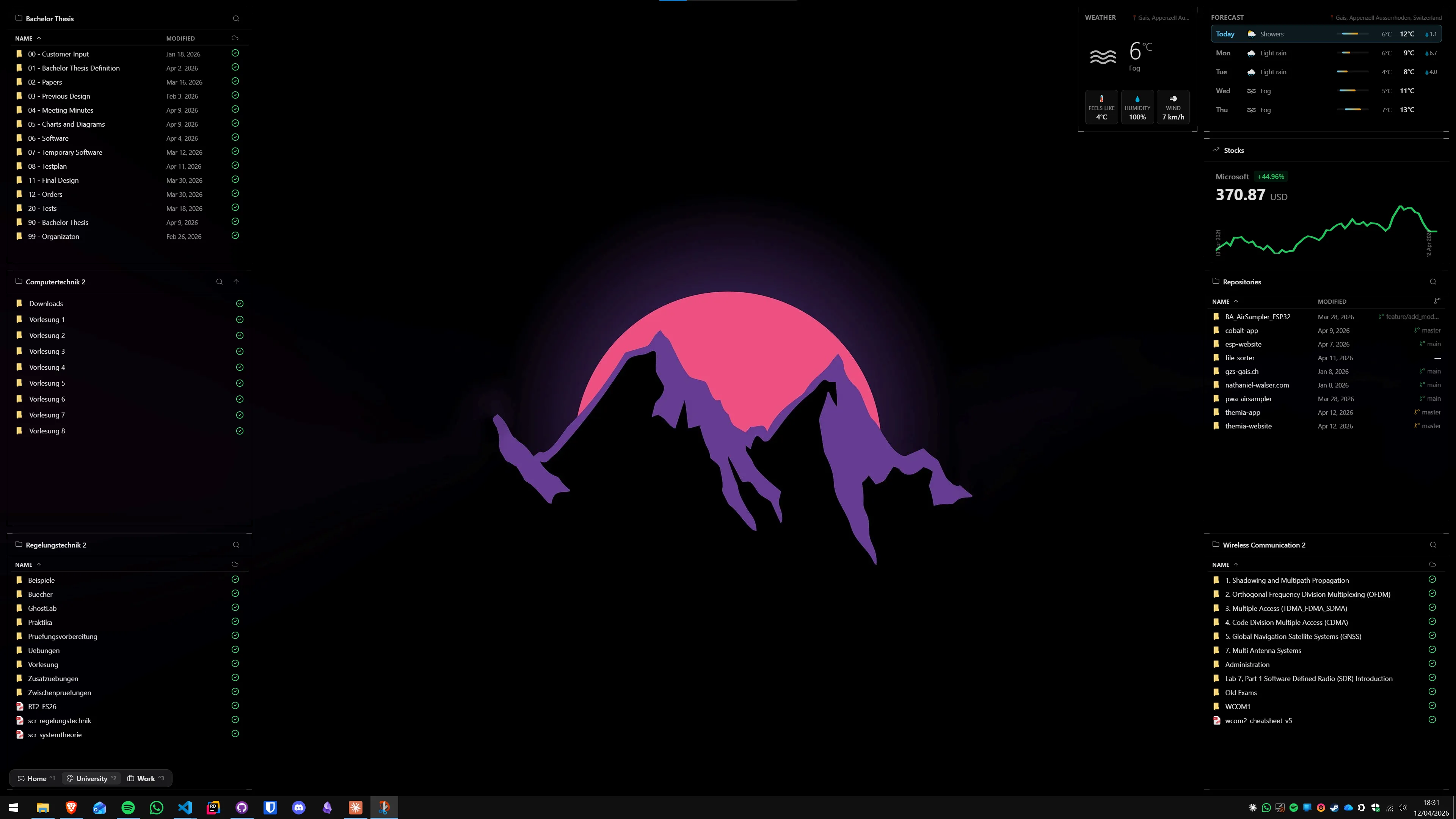
The short version
- Widget Launcher is free on the Microsoft Store with optional paid extensions. Easy to install, familiar gadget-style UI, limited widget catalog.
- Themia is a native desktop app with a broader built-in widget set, real service integrations (email, calendar, GitHub), and per-screen layouts. Free tier plus $19 one-time Pro.
Widget Launcher is the closest thing to "a cleaner Windows 7 sidebar" on the Store. Themia is aimed at people who want widgets that do more than display a clock and a CPU meter.
Feature comparison
| Feature | Themia | Widget Launcher |
|---|---|---|
| Price | Free tier · $19 one-time Pro | Free on the Microsoft Store · paid extensions |
| Distribution | Direct download, auto-update | Microsoft Store (sandboxed) |
| Install size | Under 10 MB installer, native Tauri | Microsoft Store app |
| Widget catalog | Files, email, calendar, weather, system stats, stocks, music, notes, to-do, contacts, RSS, GitHub, battery | Classic gadget-style set: clock, weather, CPU, notes, calendar, RSS, currency, and more |
| Modern integrations | Microsoft 365 email and calendar, GitHub, music, OAuth services | Mostly local and simple web data |
| Per-screen layouts | Switchable layouts (work, personal, focus) | Position and theme widgets individually |
| Design | Unified blur, transparency, typography across all widgets | Gadget-style skins with customizable colors and transparency |
Where Widget Launcher wins
One-click install from the Store
If you do not want to download installers from the open web, Widget Launcher is hard to beat. It is on the Microsoft Store, it installs with a click, and it is sandboxed the way Store apps are. For people on managed machines where Store apps are the only allowed option, that alone can be decisive.
Free and familiar
The base app is free. The UI is intentionally familiar if you used Windows 7 gadgets — clock, weather, CPU meter, notes — with a cleaner modern skin on top. It is a low-friction way to get gadget-style widgets onto a Windows 11 desktop without much setup.
Simple, predictable scope
Widget Launcher does not try to be a platform. It ships a catalog of small, focused widgets, lets you place and skin them, and gets out of the way. If all you actually want is a clock and a weather tile pinned to the desktop, you do not need much more than that.
Where Themia wins
Widgets that do more than display
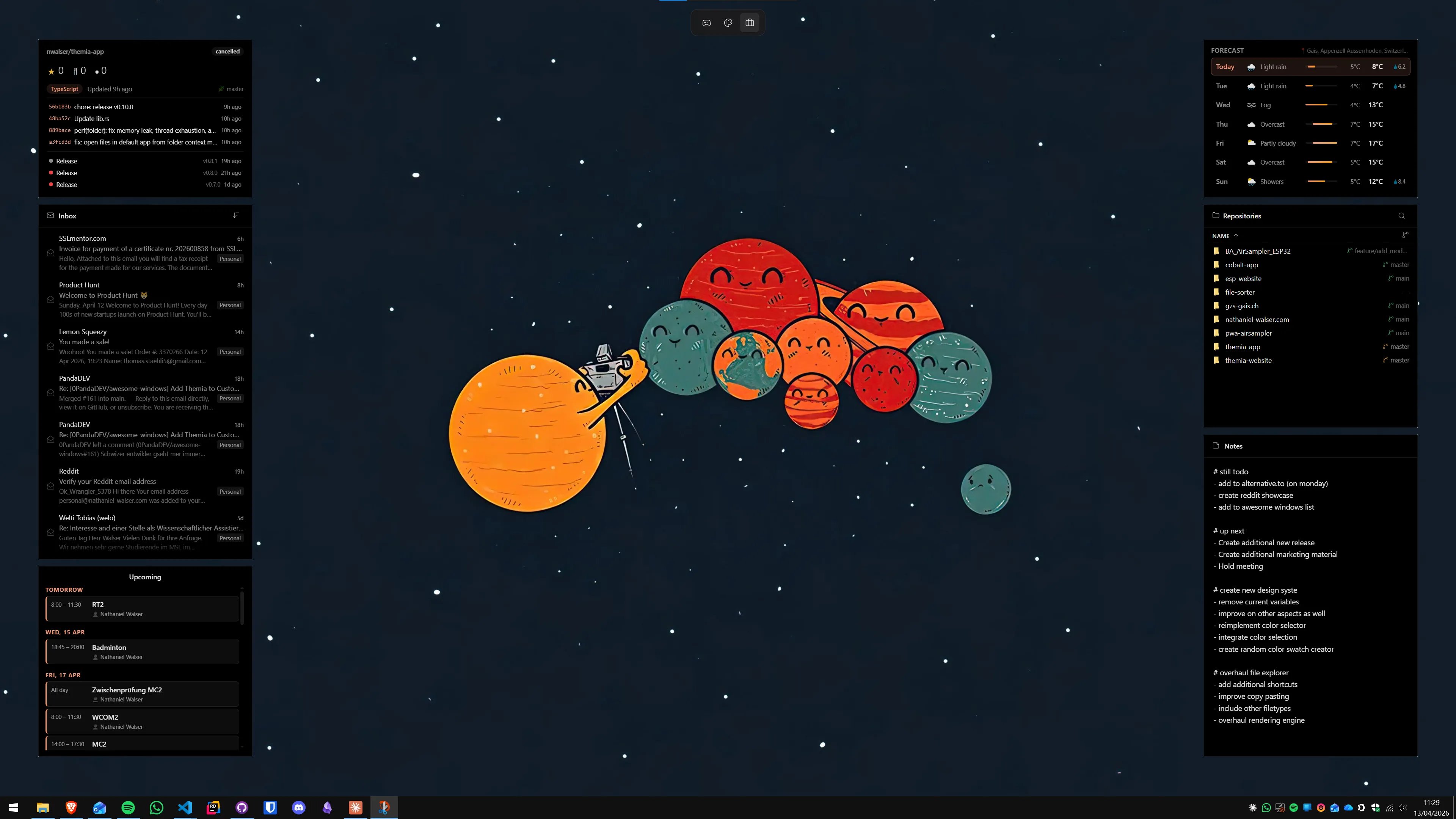
Themia's built-in widgets go well beyond the classic gadget set. Files and folders with live previews, a real email inbox via Microsoft 365, calendar events, a GitHub widget that tracks your repos, a music widget, stocks with live charts, RSS, contacts, to-do, notes — all first-party. Widget Launcher's catalog, by comparison, sticks closer to the traditional gadget scope.
Real OAuth integrations
Themia connects to Microsoft 365, GitHub, and other services through real OAuth flows. That is not something Store widget apps typically invest in, and it is the difference between a widget that shows "You have mail" and one that actually lists today's messages.
Per-screen contexts
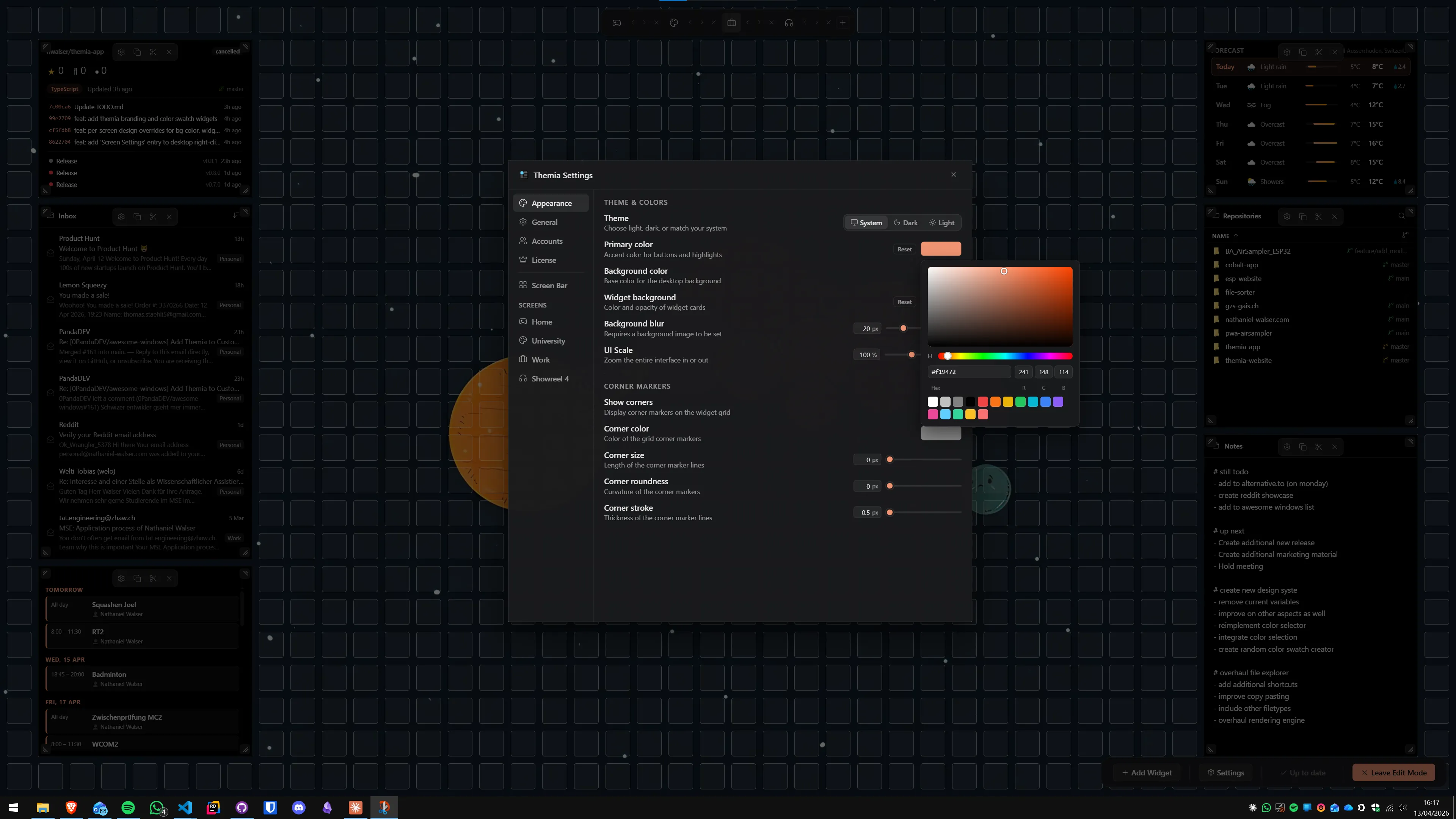
Themia lets you define separate layouts per screen and switch between them — a work setup, a personal setup, a focus setup. Widget Launcher positions widgets individually, but there is no first-class concept of switching between named contexts the way Themia does.
One-time price, no ads
Themia has a free tier and a $19 one-time Pro. No ads in the free version, no subscription, and no in-app upsells that interrupt the widgets themselves.
Which should you pick?
Pick Widget Launcher if: you want free, Store-delivered, gadget-style widgets and the classic set — clock, weather, CPU, notes — is enough for what you need.
Pick Themia if: you want widgets that integrate with your inbox, calendar, repos, and files, you prefer a native app with a consistent design, and you would rather pay once than put up with ads or feature gates.
Widget Launcher brings gadgets back. Themia builds what comes next.