Themia vs 8GadgetPack: Modern Widgets vs Win7 Gadgets
If you miss the Windows 7 sidebar — the clock, the weather gadget, the CPU meter tucked into the corner — 8GadgetPack (recently renamed GadgetPack) is the project that keeps that experience alive on Windows 10 and 11. It revives the original gadget platform that Microsoft deprecated and bundles in dozens of classic gadgets.
Themia is aimed at the same desire — useful things on your desktop — but built fresh for modern Windows. This post is a fair comparison so you can pick whichever matches what you actually want.
The short version
- 8GadgetPack is free, brings back the Windows 7 sidebar, and ships with 50+ classic gadgets. The aesthetic is pure Windows 7 nostalgia.
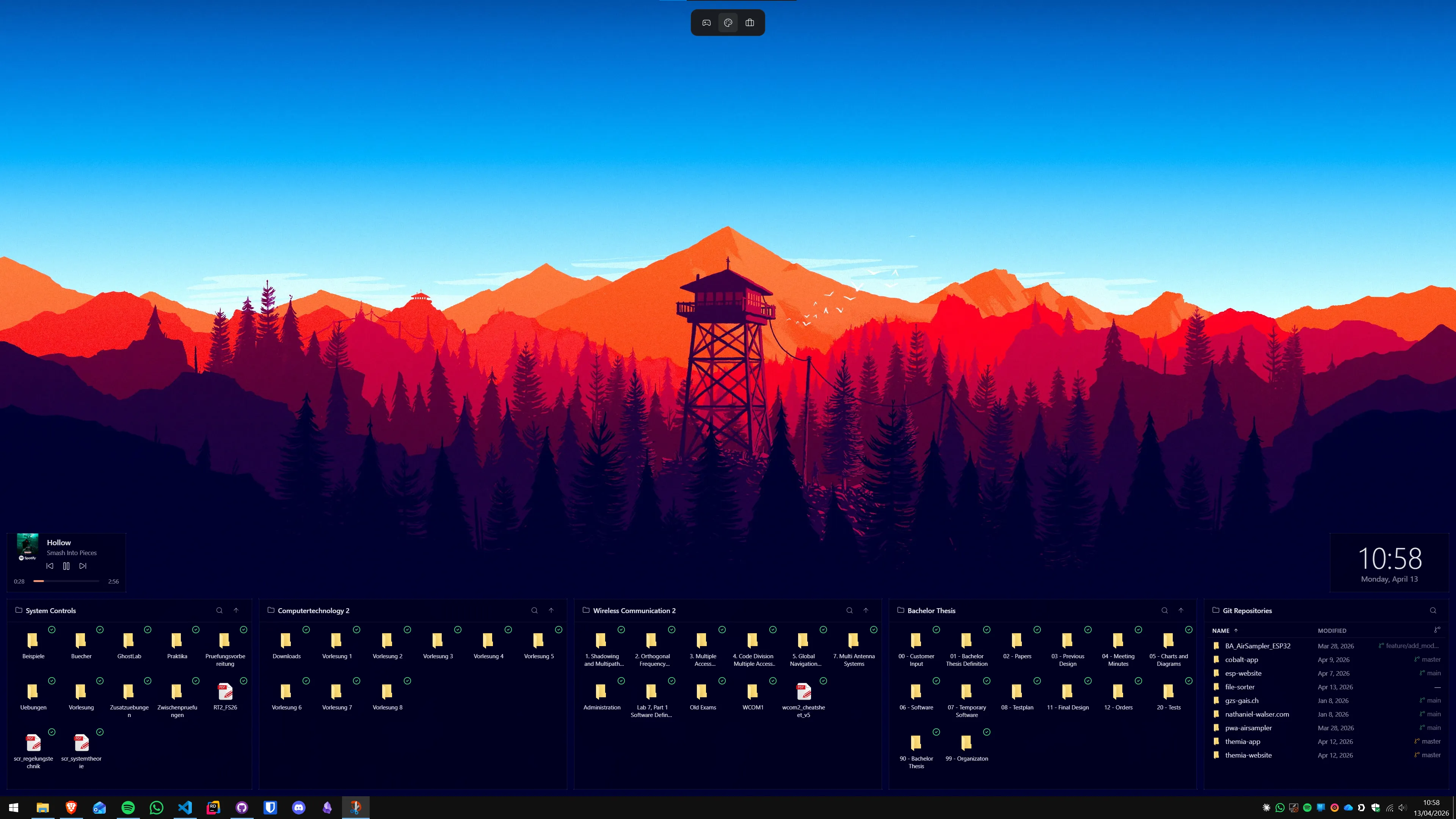
- Themia is a modern native app built for Windows 10 and 11, with modern integrations (email, calendar, GitHub), per-screen layouts, and a consistent visual design.
One is about bringing an era back. The other is about building the widget app that era never quite became.
Feature comparison
| Feature | Themia | 8GadgetPack |
|---|---|---|
| Price | Free tier · $19 one-time Pro | Free |
| Platform | Windows 10 & 11, native Tauri app | Windows 10 & 11 (revives the deprecated Win7 gadget platform) |
| Aesthetic | Modern — blur, transparency, consistent typography | Classic Windows 7 look |
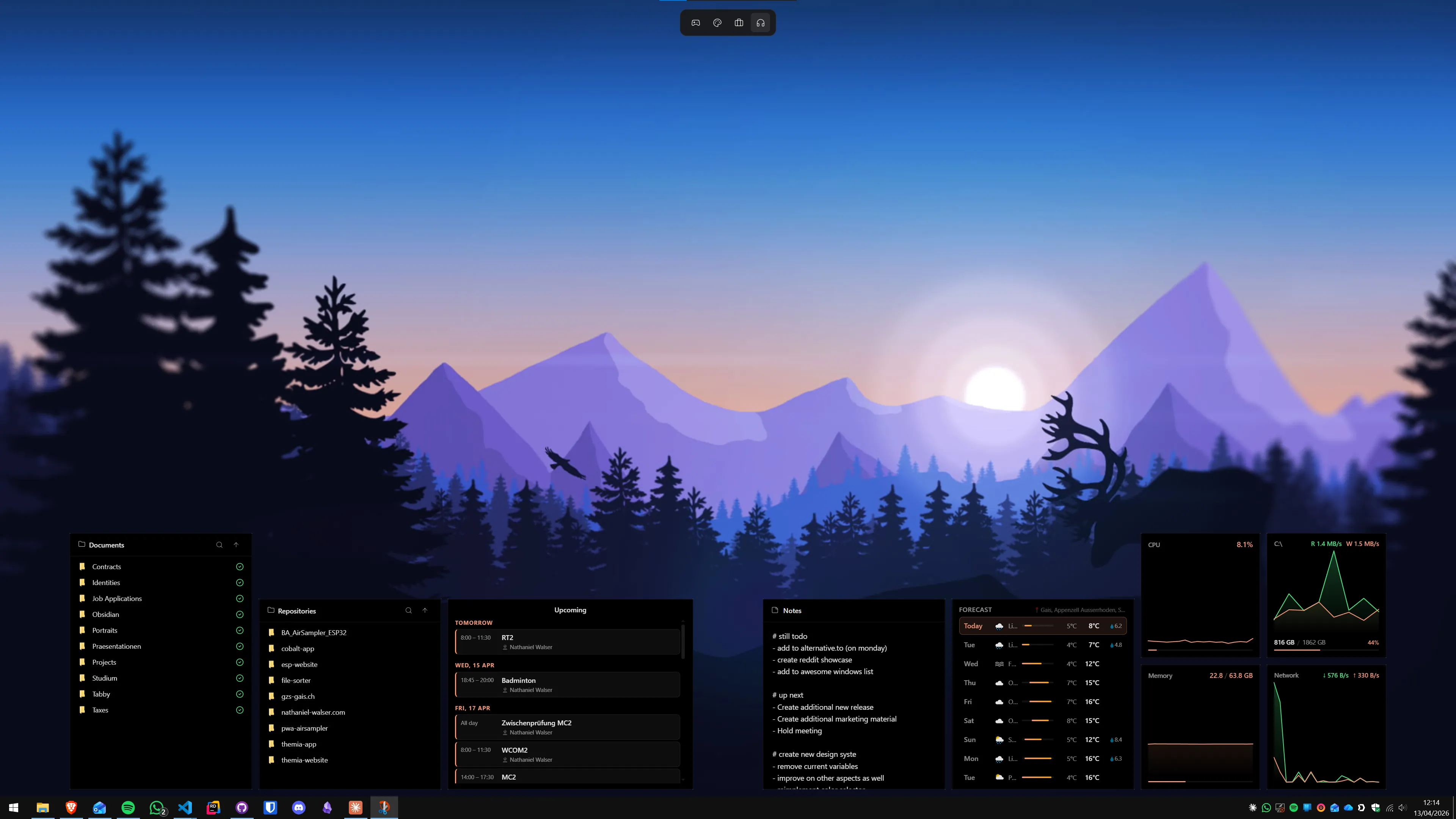
| Built-in widgets | Files, email, calendar, weather, system stats, stocks, music, notes, to-do, and more | 50+ classic gadgets (clock, weather, CPU meter, calendar, RSS, sticky notes) |
| Modern integrations | Microsoft 365, GitHub, OAuth-based services | Limited — most gadgets are system or local-data focused |
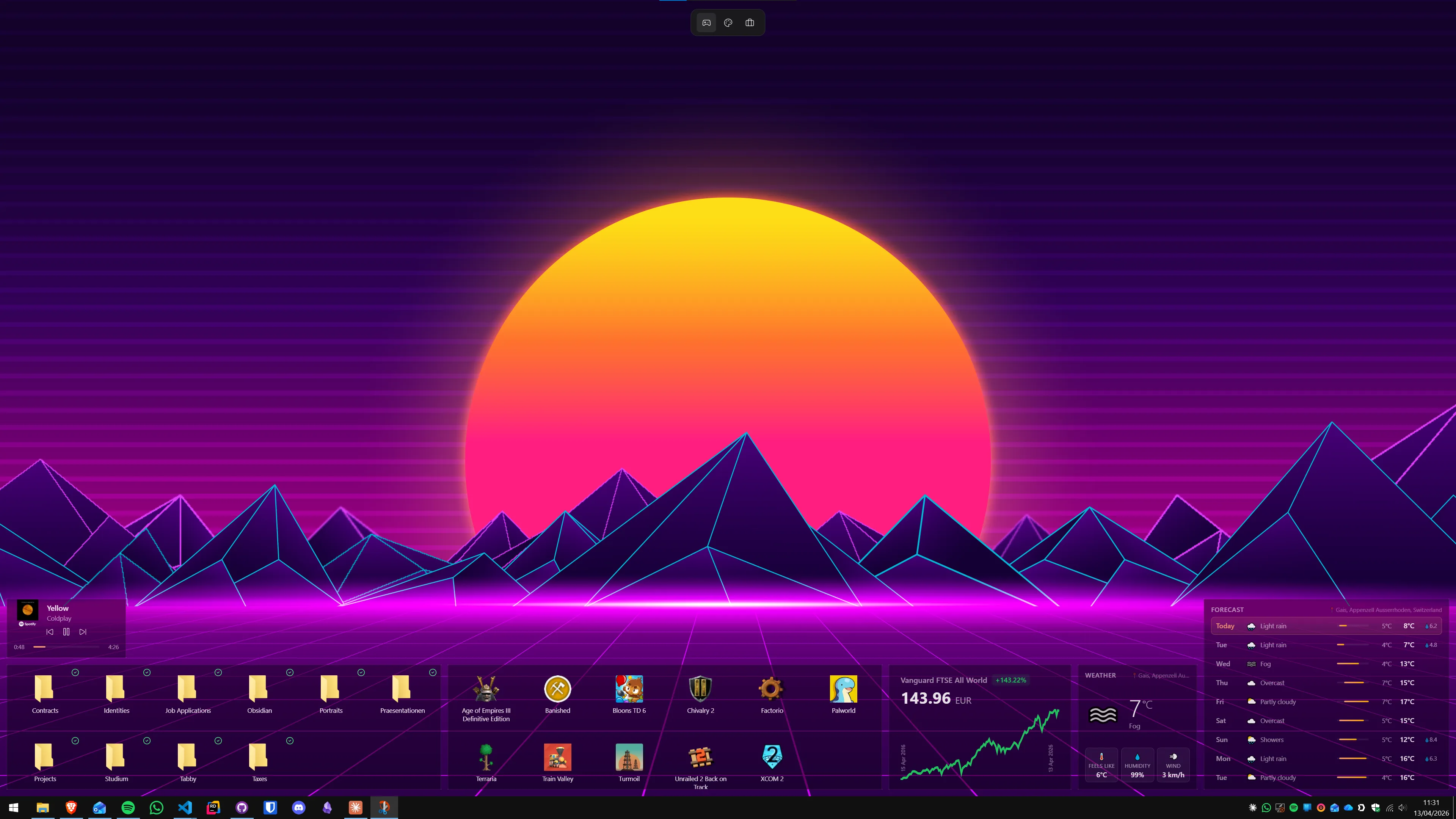
| Per-screen layouts | Switchable layouts (work, personal, focus) | Sidebar on one or more displays, no named contexts |
| Updates | Auto-update built in | Manual installer updates |
Where 8GadgetPack wins
It is free, and it respects the past
8GadgetPack is free. There is no Pro tier, no upsell, and no account. If all you want is the Windows 7 sidebar back with its classic clock and weather gadget, 8GadgetPack does exactly that and asks for nothing in return.
Nostalgia done right
The Windows 7 gadget aesthetic is genuinely charming, and 8GadgetPack is faithful to it. The chrome, the fonts, the slightly rounded frames — it all feels like 2009 in a good way. If you loved the sidebar and want it back exactly as it was, no modern replacement will scratch that itch the same way.
A pile of classic gadgets
The pack ships with more than 50 bundled gadgets covering most of what people used the original sidebar for. You get clocks, weather, CPU and RAM meters, a calendar, RSS feeds, sticky notes, currency converters, and plenty more without having to hunt anything down.
Where Themia wins
A modern foundation
8GadgetPack works by reviving the gadget platform that Microsoft originally shipped with Windows 7 — and that Microsoft eventually deprecated, citing security concerns. The maintainers do good work keeping it running, but the underlying architecture is old.
Themia is built from scratch on Tauri, a modern native-app framework. It is not reviving anything; it was designed for Windows 10 and 11 from day one.
Integrations for things that exist today
The original gadget ecosystem was built before Microsoft 365, before GitHub was a household name, and before streaming music was the default. Themia talks to those services natively — inbox, calendar, repos, music — through proper OAuth. Most classic gadgets simply cannot do this, because the APIs they would need did not exist when they were written.
One coherent design
Because the original gadgets came from many authors over many years, a sidebar packed with them often ends up stylistically mixed. Themia ships with first-party widgets that all share the same blur, spacing, and typography — the desktop ends up looking like one app, not a museum.
Per-screen contexts and auto-updates
Themia supports switchable layouts per screen (work, personal, focus) and updates itself automatically. 8GadgetPack sticks close to the original sidebar model — a fixed set of gadgets on each monitor — and expects you to re-run the installer when a new version ships.
Which should you pick?
Pick 8GadgetPack if: you specifically want the Windows 7 sidebar back, you love the classic aesthetic, and you only need the kinds of gadgets that existed then — clocks, meters, weather, notes.
Pick Themia if: you want widgets for the way you work today — inbox, calendar, GitHub, music, stocks — with a modern look and a single, maintained design.
8GadgetPack brings 2009 back. Themia is what 2026 looks like.