Themia vs Start11: Widgets or Start Menu Tweaks?
Start11 by Stardock is one of the most polished pieces of Windows customization software you can buy. For a few dollars it replaces the Windows 11 Start menu with a choice of styles — classic Windows 7, the Windows 10 layout, the modern Windows 11 look, or Stardock's own Pro, Launcher, and App styles — and adds a long list of taskbar tweaks.
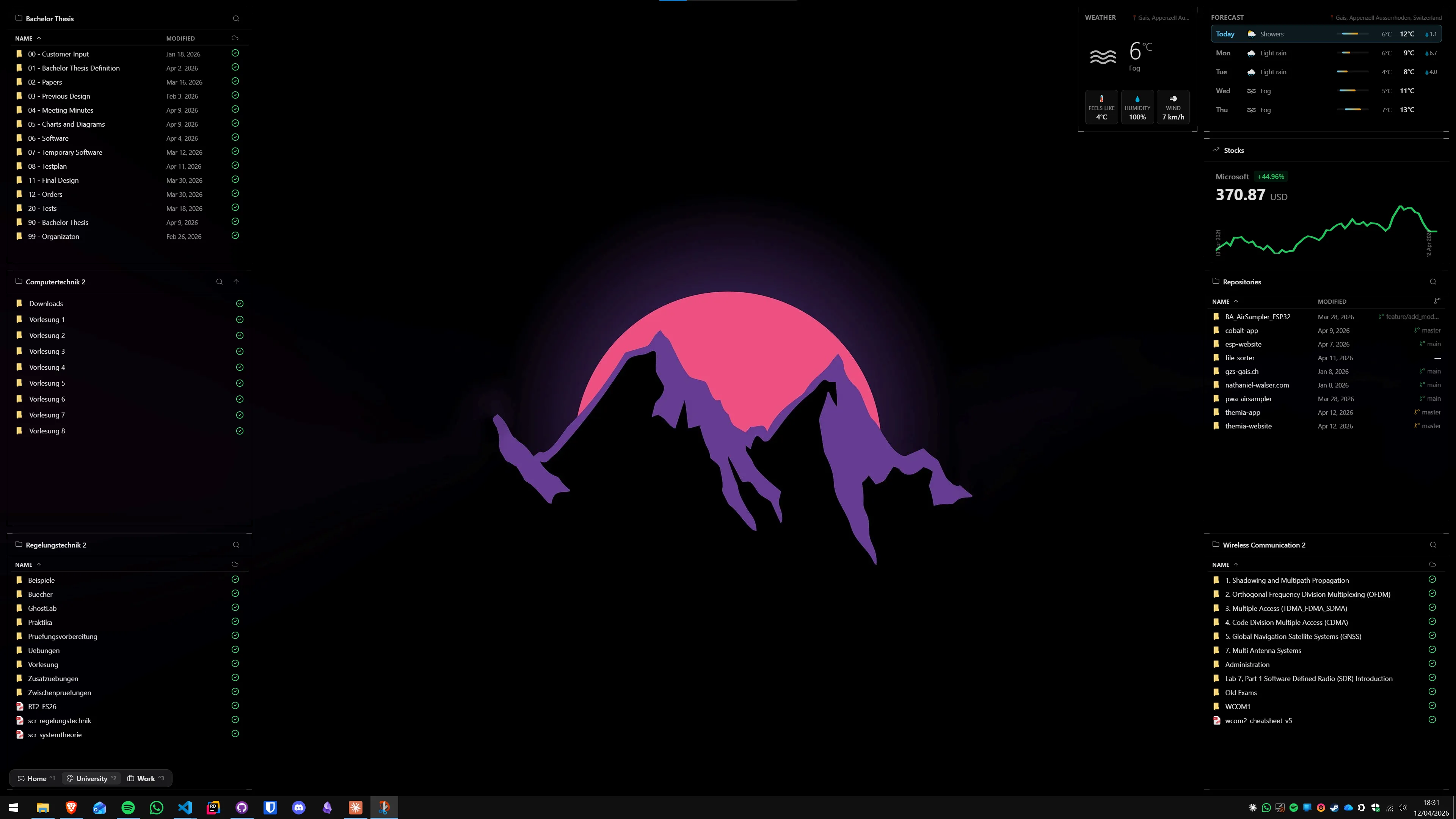
Themia is a native Windows widget app. It lives on the desktop wallpaper area and never touches the Start menu or taskbar. People sometimes lump the two together because both "customize Windows," but they are aimed at completely different parts of the screen.
The short version
- Start11 customizes the Start menu and taskbar. It does not do desktop widgets.
- Themia customizes the desktop with widgets. It does not touch the Start menu or taskbar.
- They are adjacent tools, not alternatives. Running both at the same time is completely reasonable.
Feature comparison
| Feature | Themia | Start11 |
|---|---|---|
| Price | Free tier · $19 one-time Pro | Around $7.40 one-time (single device) |
| What it changes | Desktop wallpaper area only | Start menu, taskbar, search |
| Widgets | Files, email, calendar, weather, system stats, stocks, music, notes, to-do, GitHub, RSS | None |
| Start menu styles | Does not modify the Start menu | Windows 7, 10, 11, plus Pro / Launcher / App styles |
| Per-context switching | Per-screen switchable layouts (work vs. personal) | Global Start menu style |
| Footprint | Native Tauri app, under 10 MB install | Light native app, larger install |
| Run both together? | Yes — they modify different parts of Windows. | |
Where Start11 wins
It actually fixes the Start menu
The Windows 11 Start menu has been the single most-complained-about part of the OS. Start11 is probably the best tool available for fixing it: you can bring back the Windows 7 All Programs list, reproduce the Windows 10 tile layout, or use one of Stardock's newer designs. If "I just want my old Start menu back" is why you are reading this, Start11 is the answer.
Taskbar refinements
Start11 lets you round taskbar corners, change colors, add a texture, ungroup windows, reposition the clock, and make the taskbar float like a macOS dock. None of that is possible in Themia, because Themia does not interact with the taskbar at all.
Cleaner search
Start11's search replaces Windows search and strips out the web results and recommendations most people do not want. That alone is worth the price for a lot of users.
Where Themia wins
It fills the empty space
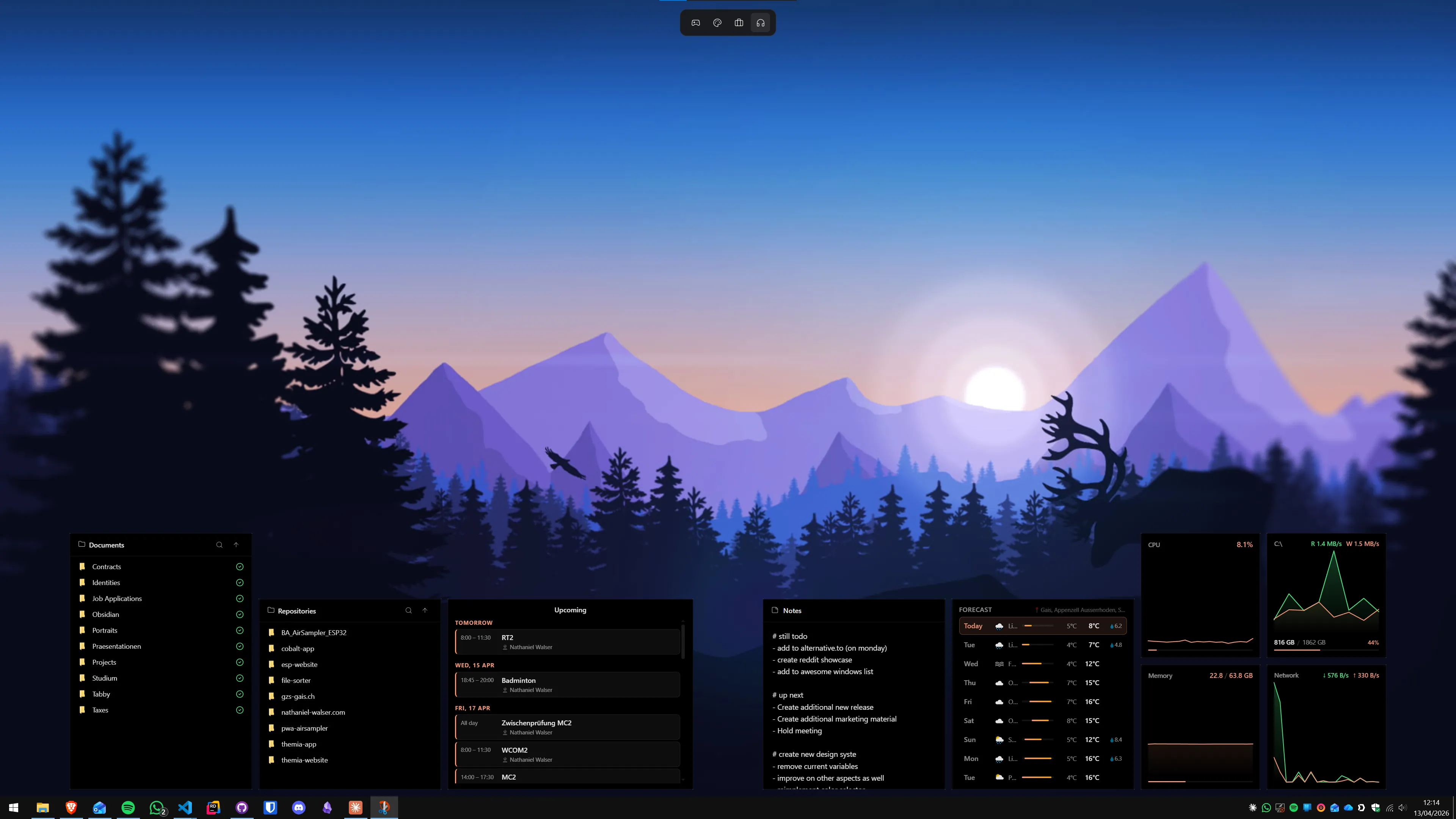
The Start menu is a small part of the screen you open for a few seconds at a time. The desktop is the giant rectangle you stare at every time you minimize something. Themia turns that space into glanceable data — next meetings, unread mail, current track, CPU and battery, weather, stocks, files — without you having to open anything.
Widgets, not tiles
The Windows 11 Start menu can "pin" apps and folders. Start11 can add sections and customize pins. Neither one shows you your actual data. Themia's widgets are live: the calendar widget shows real events, the mail widget shows real unread count, the stocks widget shows real prices.
Per-screen contexts
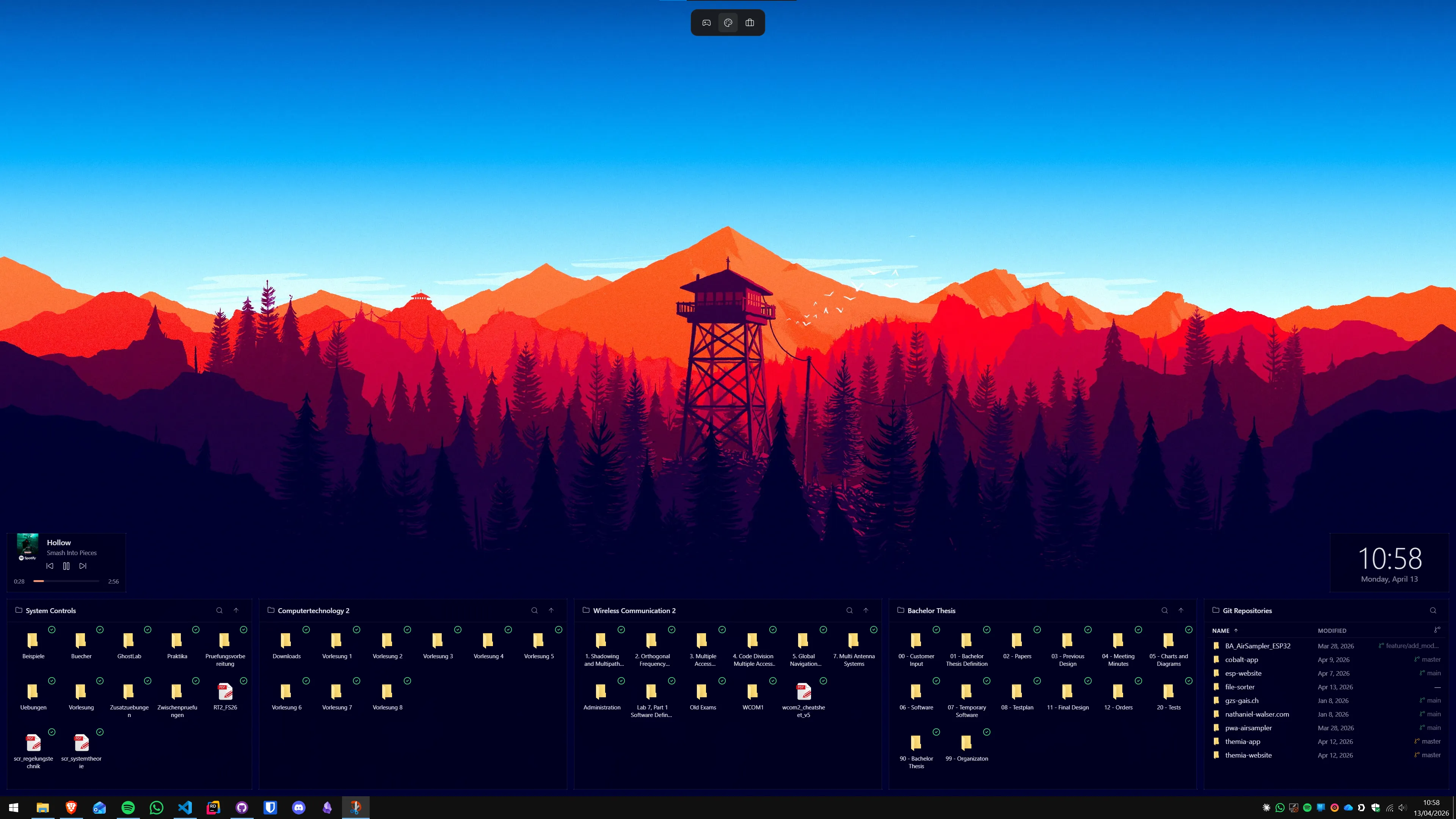
Themia lets you define different layouts and switch between them — different widgets and arrangements for work, personal, and focused sessions. Start11's settings are global.
It does not touch Windows internals
Start11 is a brilliant piece of engineering, but replacing the Start menu means shimming parts of Explorer, and that occasionally goes wrong after a Windows feature update. Themia draws on the wallpaper layer and does not modify system shells, so a Windows update has essentially no way to break it.
Which should you pick?
Pick Start11 if: your main complaint about Windows 11 is the Start menu, the search, or the taskbar. Themia will not help you there — that is not the part of the screen it cares about.
Pick Themia if: your Start menu is fine but your desktop is an empty wallpaper you never look at. Widgets, not Start menu skins, are what fix that.
Pick both if: you want a Windows 10-style Start menu and a desktop full of live information. They do not overlap, do not conflict, and cost less than $30 combined for the full, paid versions of each.
The question is not "which one," it is "which part of Windows bothers you more." If it is the Start button, Start11. If it is the wallpaper, Themia.